RecordsFinder opt out & remove your info
RecordsFinder makes the opt-out straightforward. Nothing to pay, nothing to prove, and no account to create. The site processes removal requests within 24 to 48 hours.
But—
The removal form matches records, not people. It answers with every entry that resembles what you typed, and it clears only the rows you tick. Picking the right ones is the whole job.

Opt-out process:
A few minutes per record
Removal time:
24–48 hours
Requirements:
Your name and state
Cost:
free
This guide is part of Incogni’s free educational resources.
Prefer to skip the manual work? Incogni removes your personal info from 420+ data brokers—including RecordsFinder—automatically and on repeat.
🛡️ 30-day money-back guarantee
How to opt out of RecordsFinder step by step
Before you start:
Search your own name on recordsfinder.com before you go near the removal form. The form works on direct matches, so it helps to know in advance how your record actually reads: which spelling of your name it uses, what age it lists, and which towns sit against it. Without that, the results page is a wall of near-identical strangers.
There is no identity check anywhere in this process. You point at a record, the site removes it. That makes the whole thing quick, and it also means a careless click removes the wrong person’s entry instead of yours.
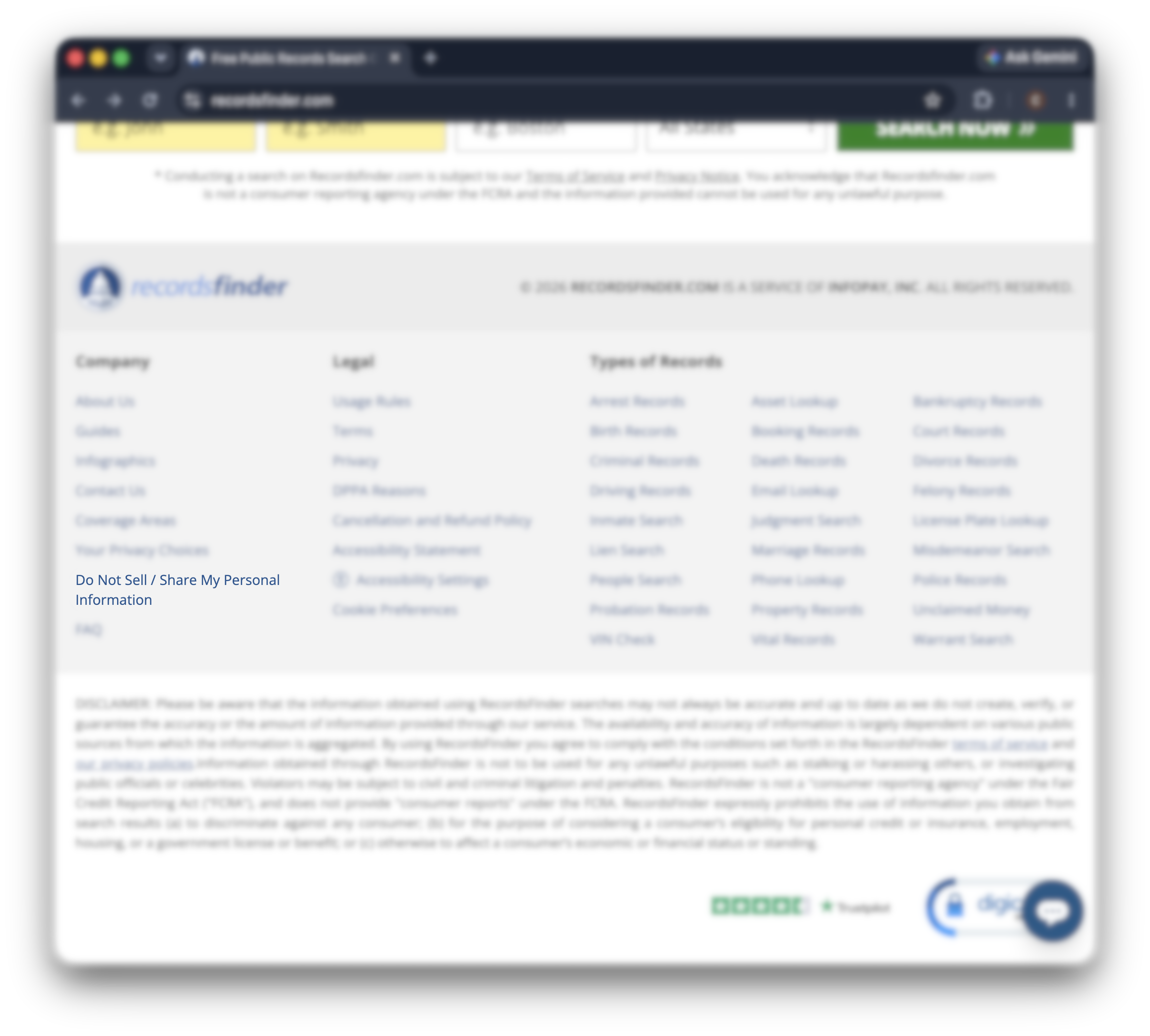
Scroll to the very bottom of recordsfinder.com and go to “do not sell / share my personal information”. It opens the removal form.
Step 2. Enter your name and state
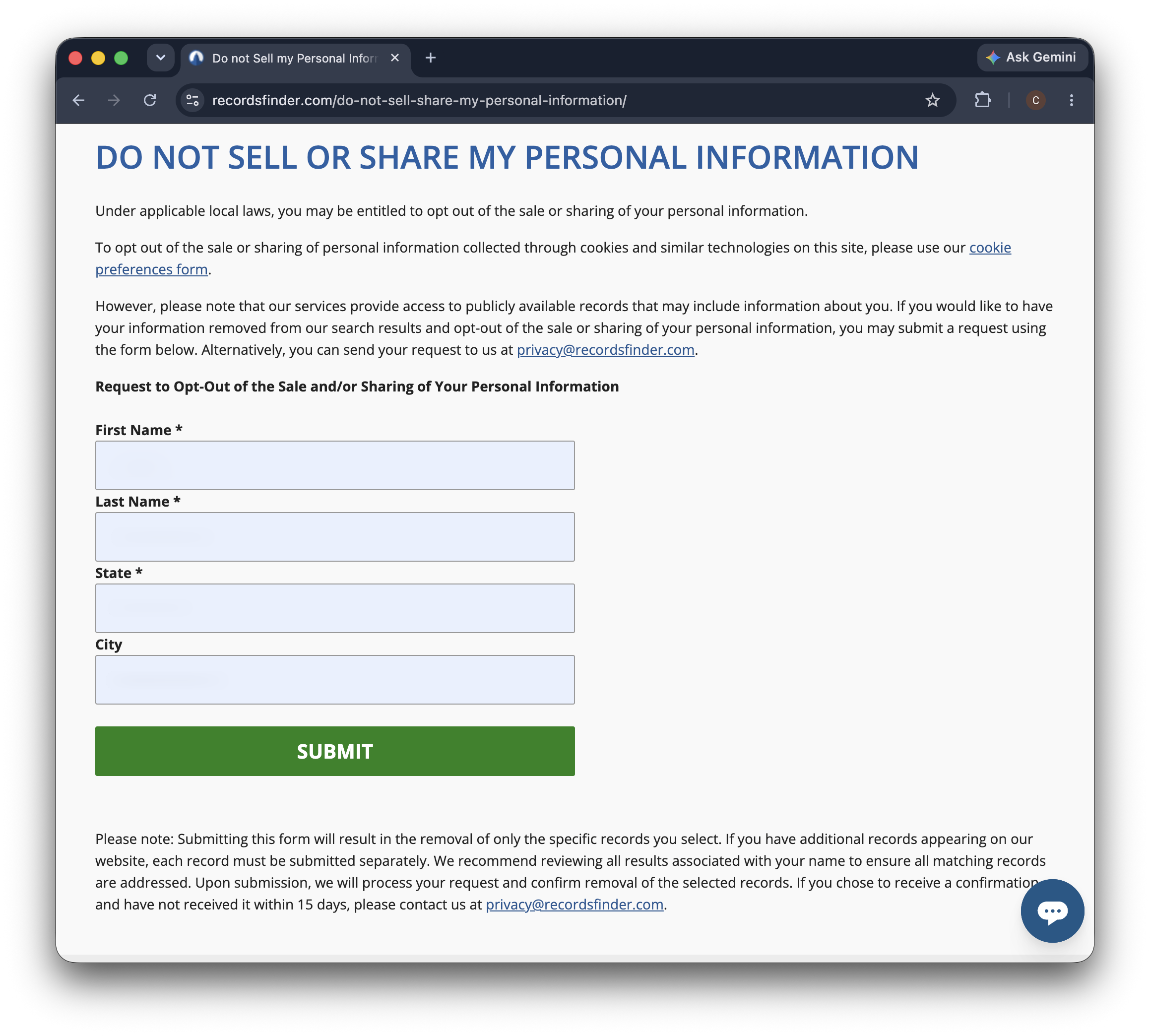
Three fields are required: first name, last name, and state. City is optional, and adding it cuts the results down to something readable.
Then click “submit”.
Step 3. Pick your record out of the results
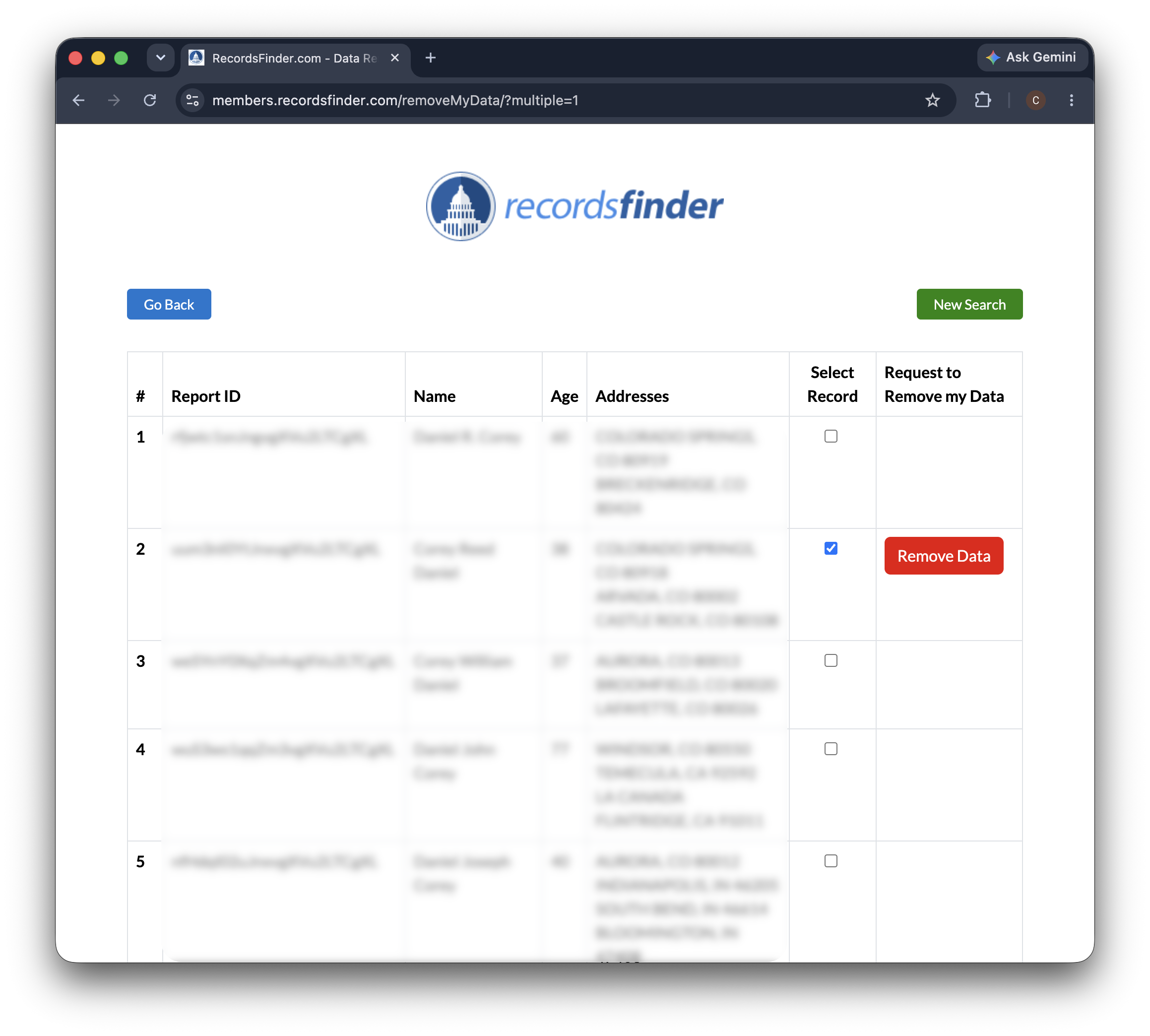
Once you find your record, tick the checkbox in that row. A red “remove data” button appears beside it. Click that button.
Nothing else on the page is touched. If two or more rows are genuinely yours, deal with them one at a time.
Step 4. Add an email address
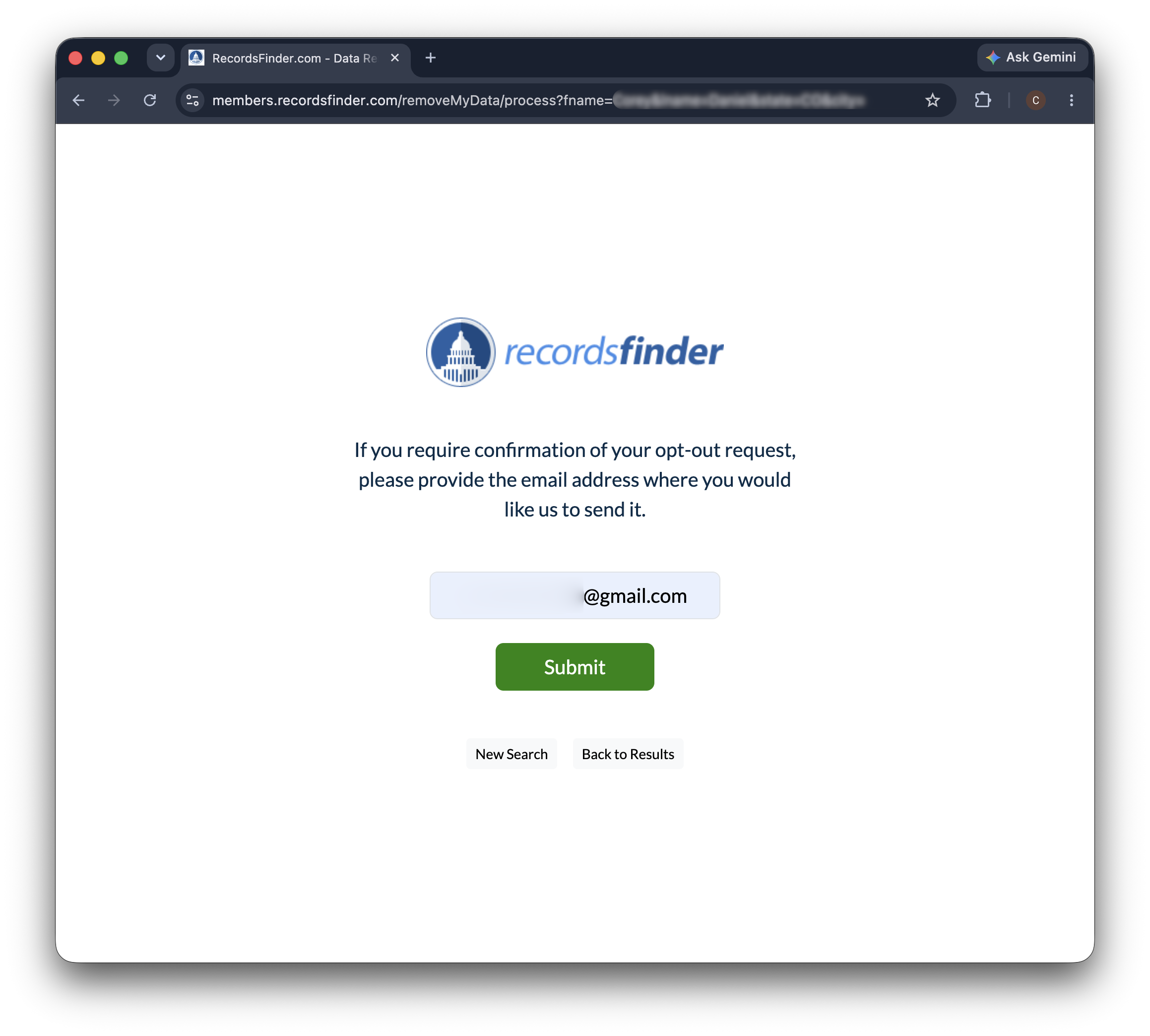
Next comes a single field asking where to send confirmation. You can skip it and the removal still goes ahead, but then nothing on record shows that you ever asked.
Fill it in. Any address you can reach works, including a forwarding one. Then click “submit”.
Step 5. Check the confirmation
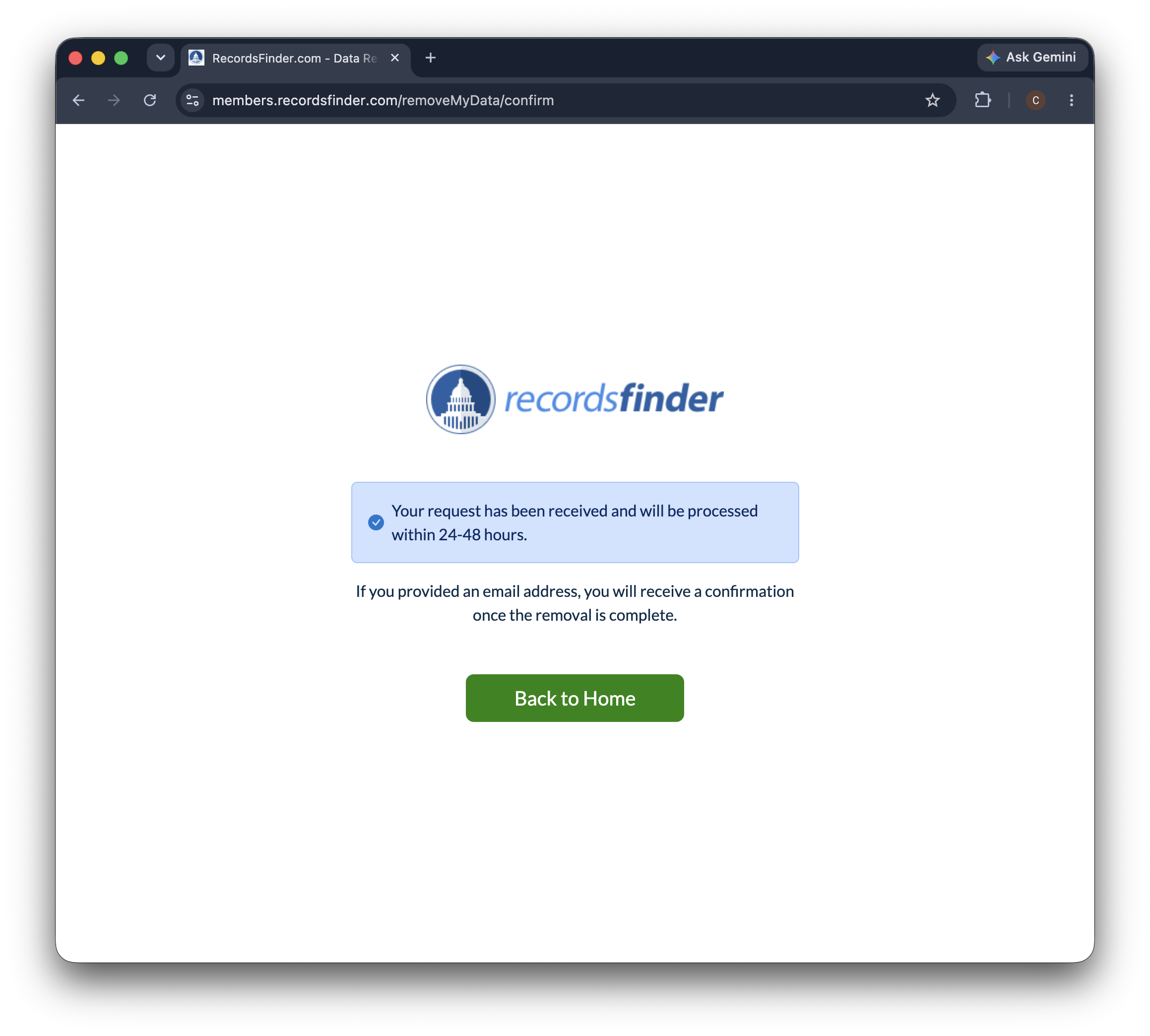
A pale blue panel reports that the request is in and will be handled within 24 to 48 hours.
Note the date. The small print from Step 2 gives you a backstop: if you asked for an email confirmation and 15 days pass without one, write to [email protected].
How to cancel a RecordsFinder subscription
These are two different jobs, and they get mixed up because both feel like getting rid of RecordsFinder.
→ Opting out deletes a record about you. It costs nothing and creates no account.
→ A subscription is what you get if you paid to run searches on other people.
Cancelling happens through the support link on the contact page, and to avoid the first monthly charge you have to do it before the trial ends.
Cancelling the subscription leaves your record online. Removing your record leaves the subscription running. If both apply to you, do both.
Alternative opt-out methods
The form is the most direct route, because it aims at one specific record. If you would rather not use it, RecordsFinder publishes three other ways to reach its privacy team:
By email: [email protected], which the removal form names itself.
By phone: (800) 433-0567.
By mail: Recordsfinder.com, 1070 Montgomery Rd, Altamonte Springs, FL 32714.
Writing has one advantage the form does not: a dated record of what you asked for. Copy this and replace the brackets:
To: [email protected]
Subject: Request to remove my records
Hello, please remove my records from RecordsFinder and stop selling or sharing my personal information.
Listed under [your full name], age [age listed], in [city, state]. Report IDs: [report IDs, if you noted them].
Please email me once the records are gone.
Thank you, [your full name]
Stick to details the site already publishes about you. The form asks for a name and a state and nothing else, so a date of birth, a Social Security number, or a scan of your ID has no place in the request.
What to expect after opting out
How long removal takes
The confirmation screen says 24 to 48 hours. The removal form sets a longer limit for the email: 15 days. If that passes in silence, [email protected] is the address to chase it at.
How to verify the removal
Give it a couple of days, then repeat the Step 2 search. The row you cleared should have disappeared. Checking here rather than on the public side of the site matters, because this table is the list the removal system itself reads from.
What the removal does not reach
It clears entries from RecordsFinder. The courts, county offices, and commercial suppliers that produced those records keep their own copies, and so does every other people-search site that bought the same material. None of them hear about your request.
Whether the records come back
They can. RecordsFinder keeps collecting from public sources, so a new entry can appear under a slightly different name or a newer address. Repeat the search every few months and clear anything fresh.
Troubleshooting
Your record is not in the results
Drop the city and search the state on its own. Then try the name another way: a middle name, a maiden name, a shortened first name, a hyphen removed. Let the table tell you which spellings exist, rather than working from the name on your driver’s license.
Several rows could be you
Compare the address lists, not the names. Your own old addresses are the fingerprint here, since two strangers rarely share the same run of towns. If a row still looks ambiguous, leave it and remove the ones you are certain about first.
You cleared a record and are still on the site
More than one entry matched you, which is normal for anyone who has moved. Go back through the table for every state you have lived in and remove them one by one.
No confirmation email arrived
Check the spam folder first, then wait out the 15 days the form allows. After that, email [email protected] with the report ID of the record you removed. The report ID is the only thing that identifies your request, which is the argument for noting it before you leave the results page.
Other brokers that may have your data
RecordsFinder will not find your records for you. You do that part.
You type in a name, read a table of strangers, work out which rows belong to you, and clear them one at a time.
Meanwhile the site keeps drawing arrest records, court files, property records, and phone numbers from public sources that never stop producing them.
Now picture the same afternoon repeated at every other site in the same trade. Same public records, a different brand above the search box, another table of near-matches to read.
Incogni does the matching and the chasing for you.
It sends removal requests to 420+ data brokers and sends them again every 60–90 days, which is what it takes when the records keep coming back.
FAQ
Does the RecordsFinder opt-out actually work?
Yes. Each request is aimed at one record ID, so there is no doubt about which entry you meant, and the site confirms on screen and again by email. The limit is reach rather than reliability: a request clears the rows you ticked and nothing more, and a new entry can appear later from fresh public records.
How did RecordsFinder get my information?
It collected it. The privacy policy describes gathering publicly available information from government bodies, commercial data providers, and websites, then building reports from it. You never gave the site anything, which is also why removing an entry has no effect on the records it was built from.
Is RecordsFinder a legitimate company?
It is a real business, wholly owned by InfoPay, Inc. and Globicom according to its privacy policy, and selling public records is legal. Its own footer sets the boundary: RecordsFinder is not a consumer reporting agency, and its results must not be used to decide on credit, insurance, employment, housing, or a government license.
Will removing my listing erase my criminal record?
No. RecordsFinder republishes records that exist somewhere else: court files, arrest records, and government databases. Removing an entry takes it off this one site. The original record stays where it was created, and any other site that bought a copy keeps showing it.
Can I opt out for a relative who has died?
The form has no field for this, and RecordsFinder does not publish a separate process. Email [email protected] instead, with the details exactly as the site displays them, and expect to supply documentation before the request is accepted.