BeenVerified Opt Out & Remove Your Info
The BeenVerified opt-out process is pretty quick. Once you submit your request, they usually remove your data within 24 hours. You’ll need to find the right listing, go through a few confirmation steps, and voilà!
BeenVerified is just one of hundreds of data brokers that collect and sell personal data. We recommend researching which brokers operate in your area to ensure your data stays off the market.
Let’s jump into it.

Opt-out process:
5–10 minutes
Removal time:
allow 3 days
Requirements:
your name, a valid email address
Cost:
free
This guide is part of Incogni’s free educational resources.
Some data brokers and people search sites need a manual push—Incogni’s custom removals are unlimited, so you can submit as many pages as you want and have your personal info cleared.
🛡️ 30-day money-back guarantee
How to opt out of BeenVerified step by step
-
Open the opt-out page
Go straight to beenverified.com/svc/optout/search/optouts. Or get there from the homepage: scroll to the footer and click “do not sell or share my personal information.”
Starting from the regular search bar just funnels you toward a paid report. The opt-out form is its own page and never asks for payment.
-
Search for your record
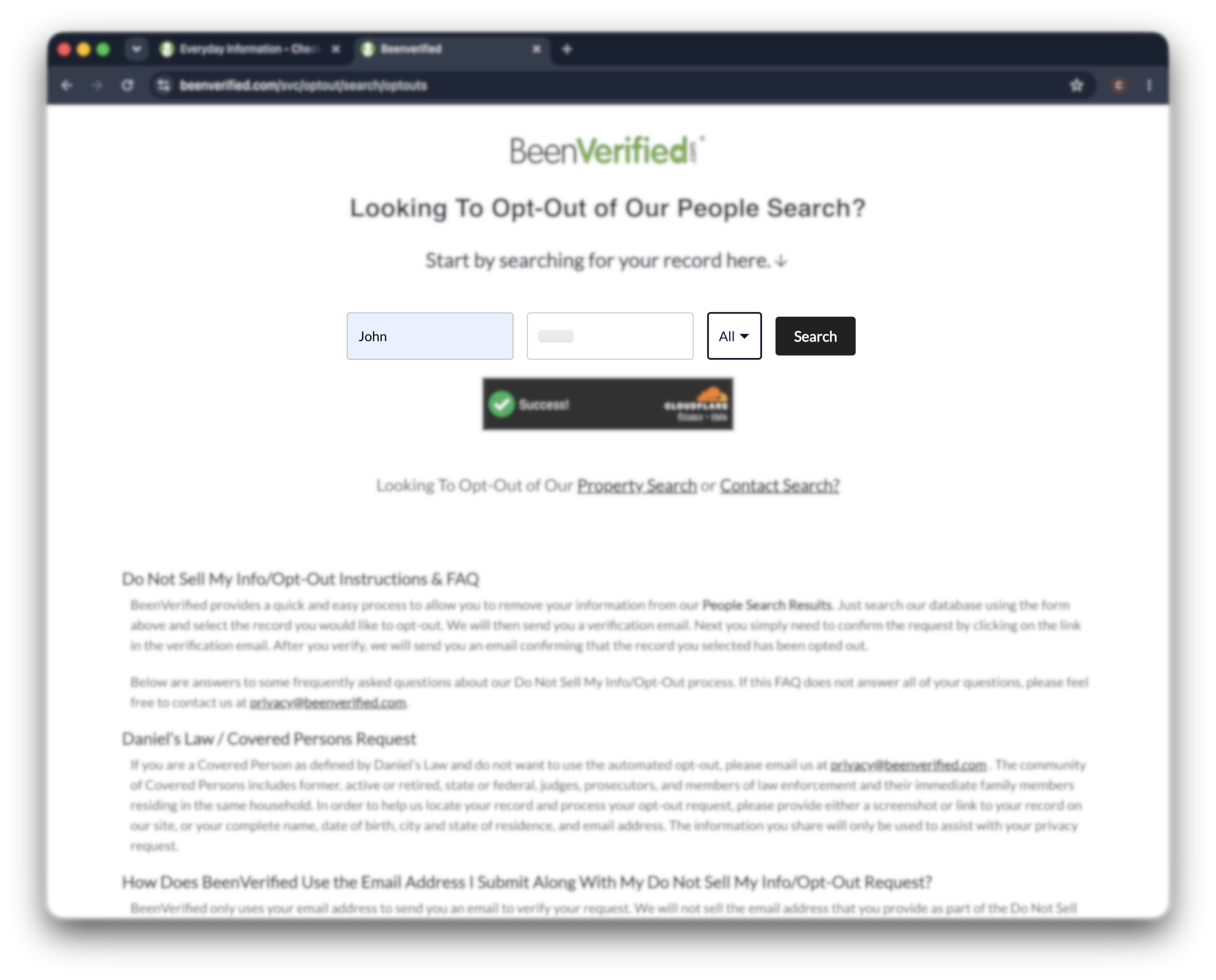
Enter your first name, last name, and state, then click “search.”
BeenVerified pulls every matching listing. It often shows several near-matches, so check the age and city before you pick—you only want the record that’s actually you.
-
Select your listing and start the opt-out
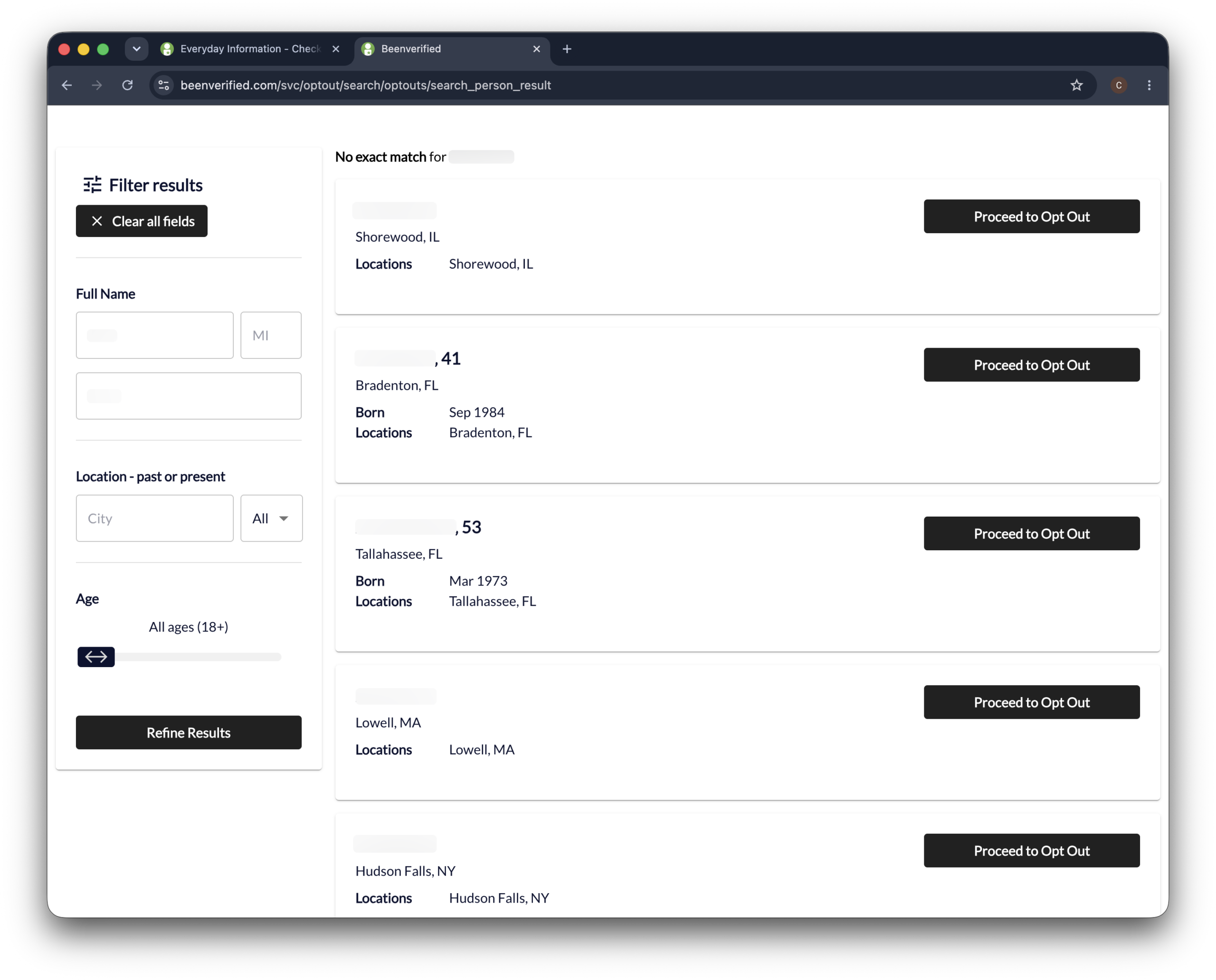
Find the listing that matches your details and click “proceed to opt out” next to it.
Got more than one record? Each one needs its own opt-out. BeenVerified doesn’t bundle them.
-
Enter your email and submit
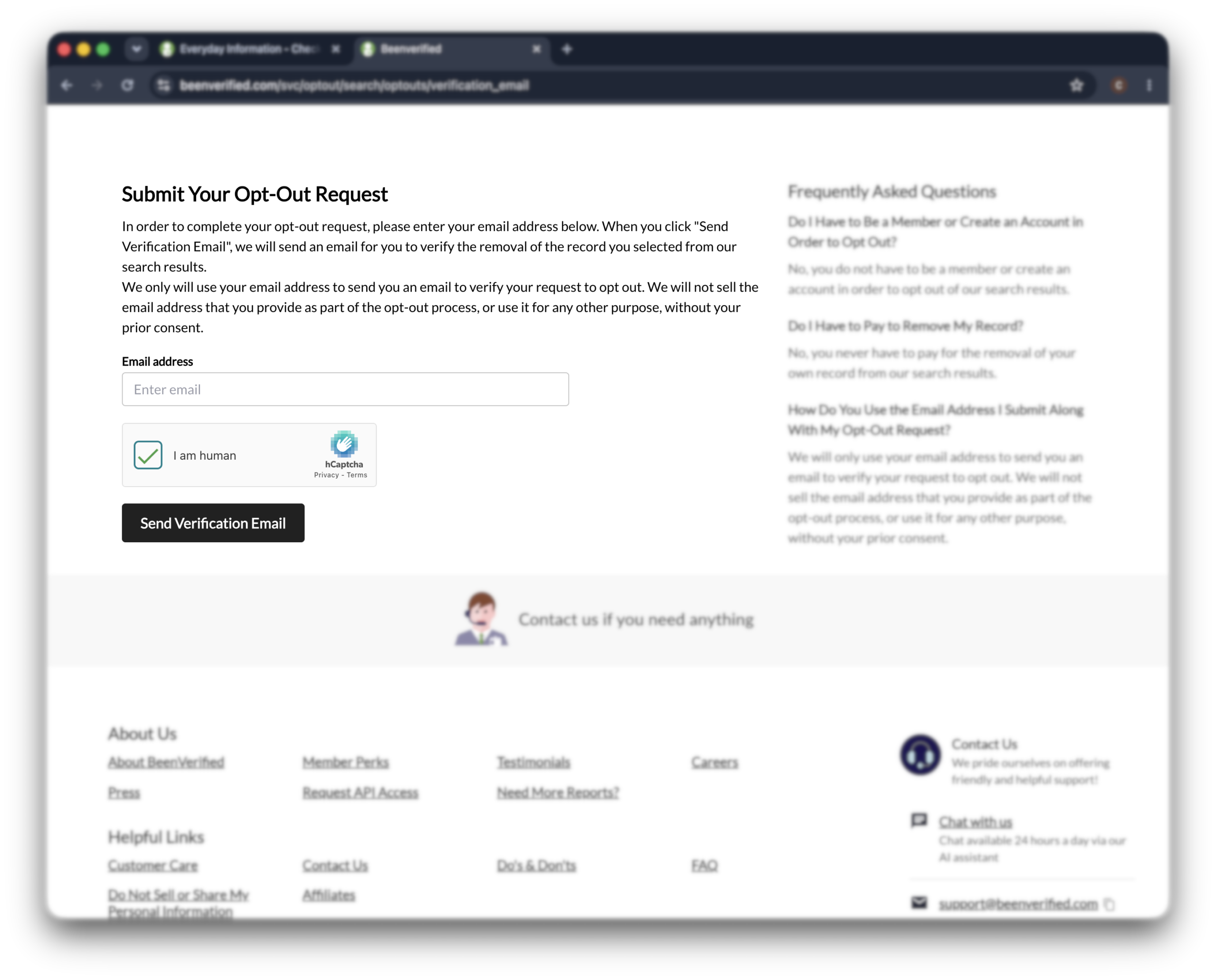
Type in your email address, solve the CAPTCHA, and click “send verification email.”
Use an inbox you can actually open in the next few minutes—the whole request hinges on a link that lands there next.
-
Confirm through the verification email
Open the email from BeenVerified and click the verification link inside.
Your request isn’t active until you do. Once you click through, you’ll land on a confirmation page, and your listing should clear within 24–72 hours.
Opting out vs canceling your subscription
In short: Removing your BeenVerified listing and canceling a paid BeenVerified membership are two separate things. The opt-out stops your data from showing in search results. Canceling stops the recurring charge.
People mix these two up constantly, so here’s the clean split.
The opt-out form above removes your public listing. It has nothing to do with billing.
Canceling a paid membership is a different workflow:
- Online: log into your account and cancel under your membership or account settings.
- Phone: call BeenVerified customer service at 1-844-823-2869 with your 9-digit membership ID handy.
- App store: if you subscribed through Apple or Google Play, cancel through your device’s subscription settings—BeenVerified can’t cancel those for you.
Canceling the membership doesn’t remove your data, and opting out doesn’t stop a charge. If you want both, do both.
What to expect after opting out
In short: BeenVerified processes confirmed opt-outs within 24–72 hours. Once your listing clears, it stops appearing in BeenVerified’s results—but the suppression only covers BeenVerified, and your profile can come back as public records refresh.
Once you click the verification link, give it up to three days.
Some listings vanish within hours; BeenVerified gives itself 24–72 hours to process the removal. Google’s cache can lag a little longer and keep showing the old page after BeenVerified has already cleared you. That sorts itself out as Google re-crawls.
And here’s the part most guides skip—
The opt-out suppresses your listing. It doesn’t erase the records underneath it.
BeenVerified builds profiles from public records and commercial data sources. When those refresh, a new listing can surface under your name—even after a clean opt-out. That tends to follow life events that update public records:
- Buying or selling a home
- Registering to vote or updating your registration
- Changing your address or phone number
So a one-time opt-out doesn’t hold forever. Checking back is the real fix, not a single request.BeenVerified removal request via email
Troubleshooting
In short: Most BeenVerified opt-out problems trace back to a verification email that won’t show up, duplicate records with slightly different spellings, or a form that throws an error. None of them mean the opt-out is closed off.
The verification email never arrives
Check spam and promotions first. If nothing lands within 10 minutes, the address may have been filtered—resubmit with a different provider (Gmail, Outlook, ProtonMail).
You found multiple records under your name
BeenVerified matches on exact name spellings, so a middle initial, a maiden name, or a nickname can each spawn a separate listing. Search each variation and opt out every record that’s you—removing one doesn’t touch the others.
The form throws an error
Reload the page and start fresh. If it still breaks, try a different browser or turn off ad-block and privacy extensions—they sometimes block the CAPTCHA from loading.
Your listing came back
Re-submit through the same form. A reappearance usually means BeenVerified picked your data back up from a fresh public-record pass—not that your original opt-out failed. If the same listing keeps returning within days, escalate by email to [email protected].
Other data brokers that may have your data
BeenVerified is one site pulling from a much bigger pipeline.
The same public records and commercial feeds behind your BeenVerified profile also supply other people-search sites—and BeenVerified directly powers a few of them, like NeighborWho. Clear one, and the rest stay put.
That’s the grind—
Each broker runs its own opt-out form, buried somewhere in its own footer, and most re-list your data within months.
The full list runs into the hundreds. Doing it by hand once is tedious; doing it again every time your data resurfaces doesn’t scale.
Incogni is built for exactly that loop—it sends removal requests across the 420+ data brokers in its coverage, tracks the responses, and re-sends them every 60–90 days when your data creeps back.
Still want to opt out on your own? We’ve written around 85 data broker opt-out guides to make manual data removal easy. Check them out!
FAQ
Does the BeenVerified opt-out actually work?
Yes, for the listing you remove. But BeenVerified rebuilds its database from public records and commercial data, so a new listing can appear later. The opt-out works; the data refresh is what brings you back.
How did BeenVerified get my information?
From public records and commercial data sources—court filings, property records, voter rolls, and aggregated marketing data. None of it needs your permission, and you’ll never get a heads-up that a profile exists.
Can BeenVerified add my data again after removing it?
Yes, BeenVerified may add your information to their database again after some time. This depends on how often they refresh their database. For this reason, we recommend you re-do the BeenVerified opt-out process periodically.
You can avoid this hassle with Incogni’s data removal service. We re-send opt-out requests regularly so that you can rest assured your personal information stays off the market.
Do I have to pay to opt out of BeenVerified?
No, it’s completely free to opt out of the BeenVerified database. You also don’t need a BeenVerified account to send a data removal request. If you are asked to make any payment, be aware that it is likely part of some scam.
Can I check if my data was removed from BeenVerified?
Yes, you can check if your data was removed from BeenVerified by using their service to look yourself up. However, you will need to open a BeenVerified account and pay for their service.