PeopleFinders Opt Out & Remove Your Info
The PeopleFinders opt-out process is fairly straightforward.
Find your profile, fill in the opt-out form, and confirm it in your email.
But in case you’re facing some challenges, here’s a detailed step-by-step guide.

In short:
- Go to www.peoplefinders.com/opt-out.
- Click “next” under “public record removal.”
- Scroll down, enter your name and email, complete the CAPTCHA, and click “send request.”
- Check your email inbox for a message from PeopleFinders and open it.
- Click on the link in the email.
- Enter your information to help locate and remove your profile.
- Complete the CAPTCHA again and click “submit.”
It may take 3 days or more to process your request.
We’ve written around 85 data broker opt-out guides to make manual data removal easy. Check them out!
Step-by-step PeopleFinders opt-out guide
Total Time: 15 minutes
1. Go to the PeopleFinders opt-out form
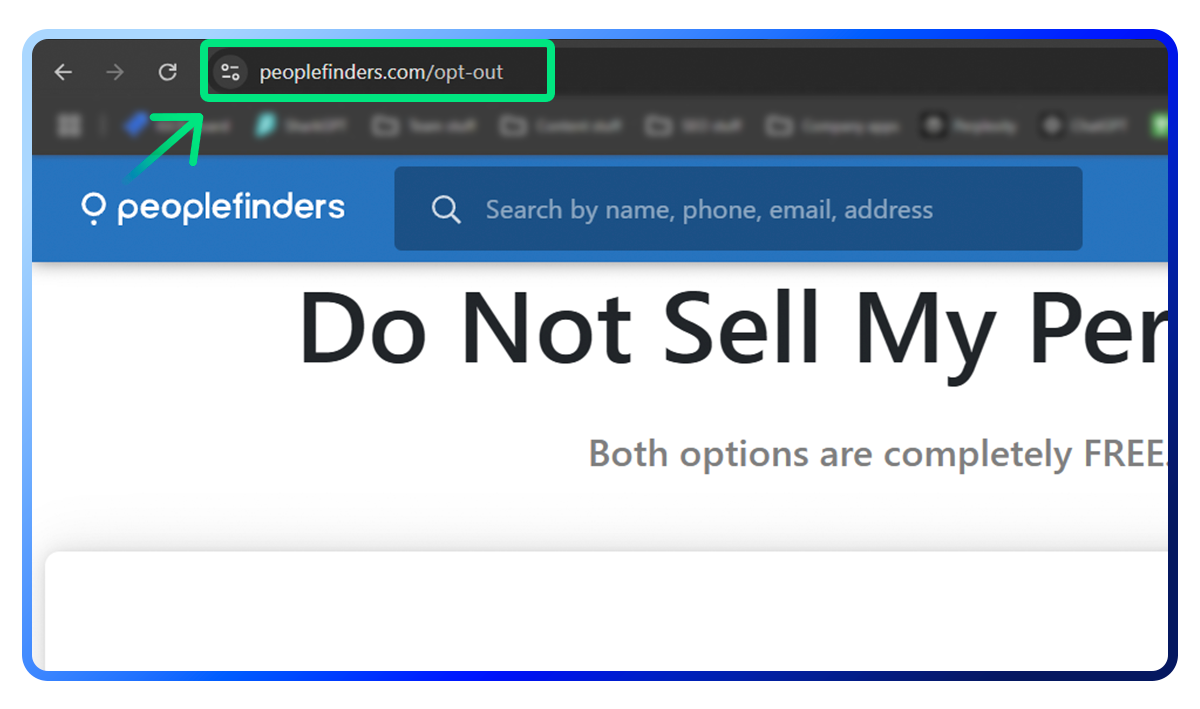
2. Click “next” under “public record removal”
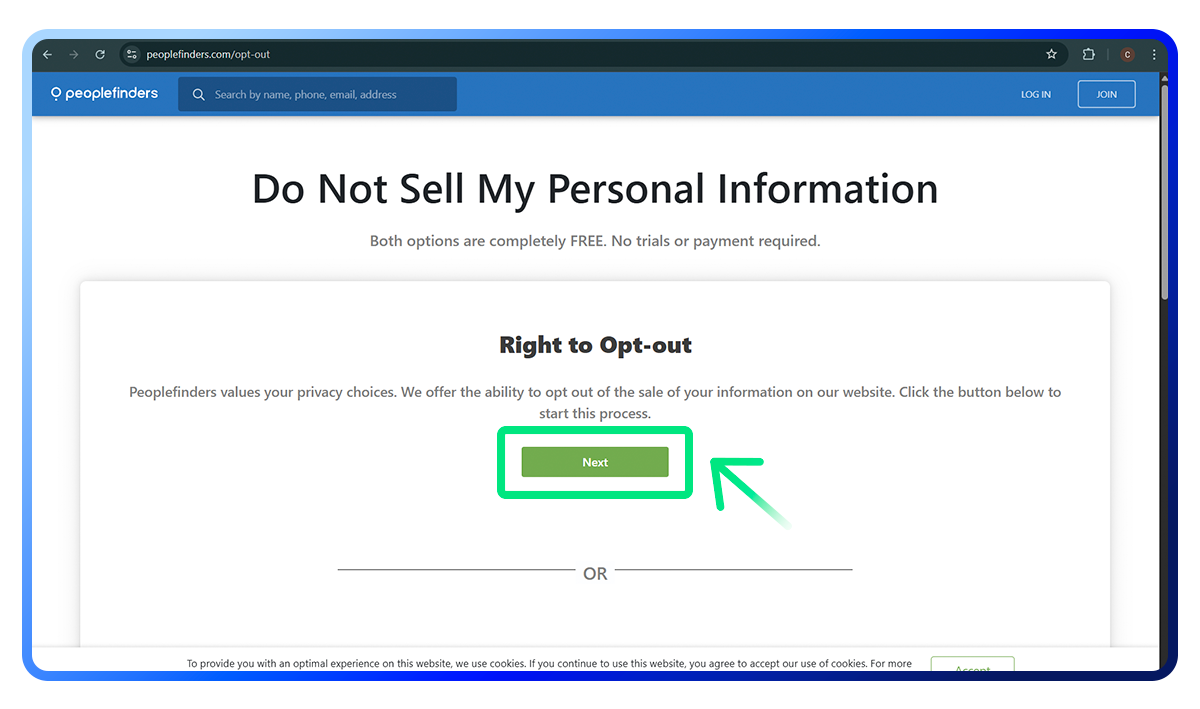
Find the “public record removal” section.
Click the “next” button under this section to continue.
3. Enter your details and send the request
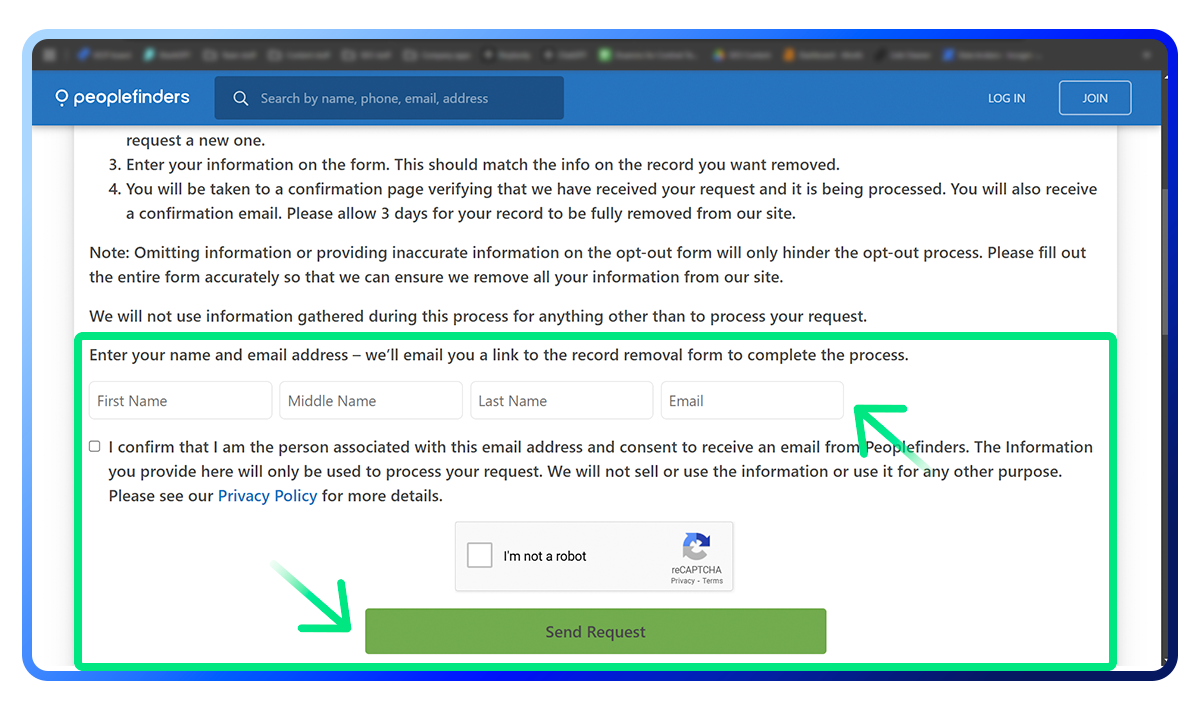
Scroll down to the part where you can type in your name and email address.
Fill these in, complete the CAPTCHA, and click “send request.”
4. Check your email for a message from PeopleFinders
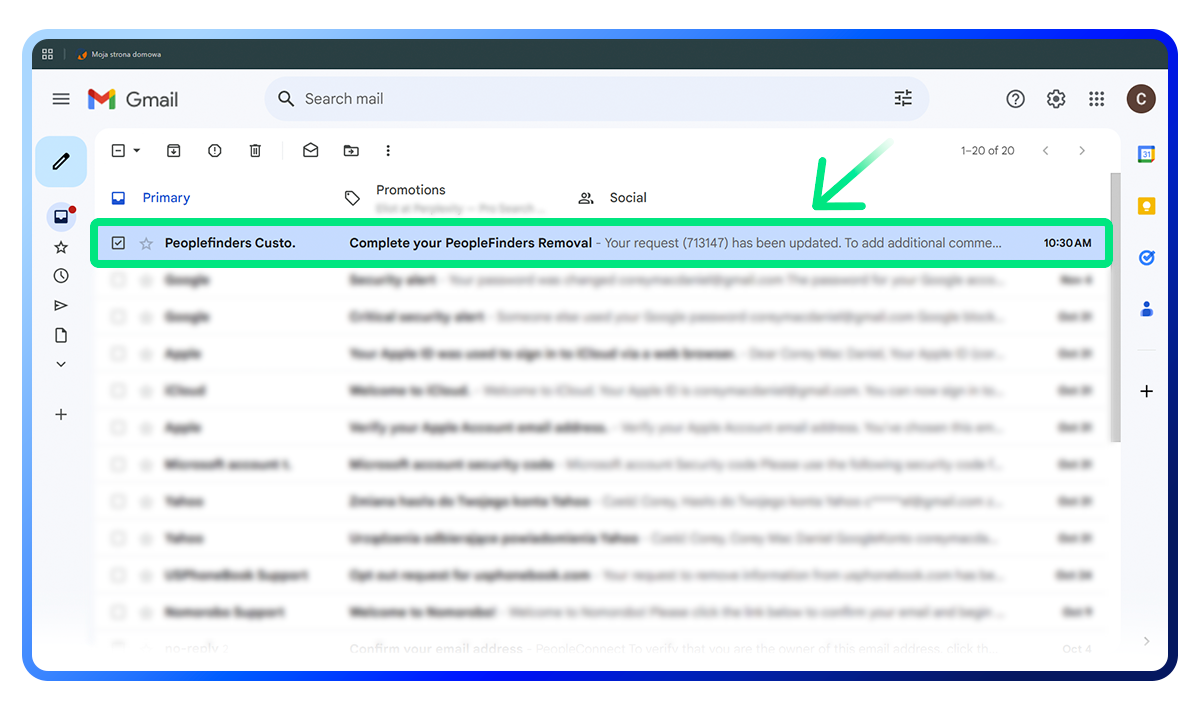
Go to your email inbox (the one you used in Step 3).
Look for an email from PeopleFinders. If you don’t see it, check your spam or junk mail folder.
Open this email when you find it.
5. Click on the link in the email
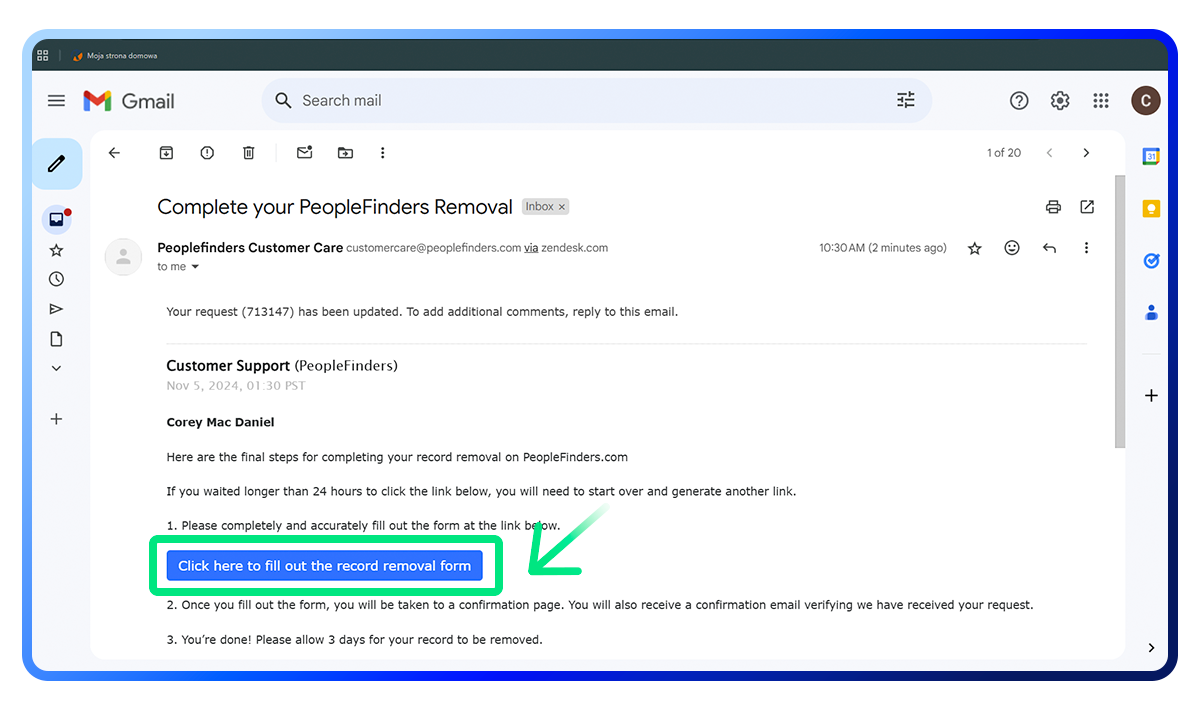
In the PeopleFinders email, click the link that says “click here to fill out the record removal form.”
6. Fill out your information on the record-removal form
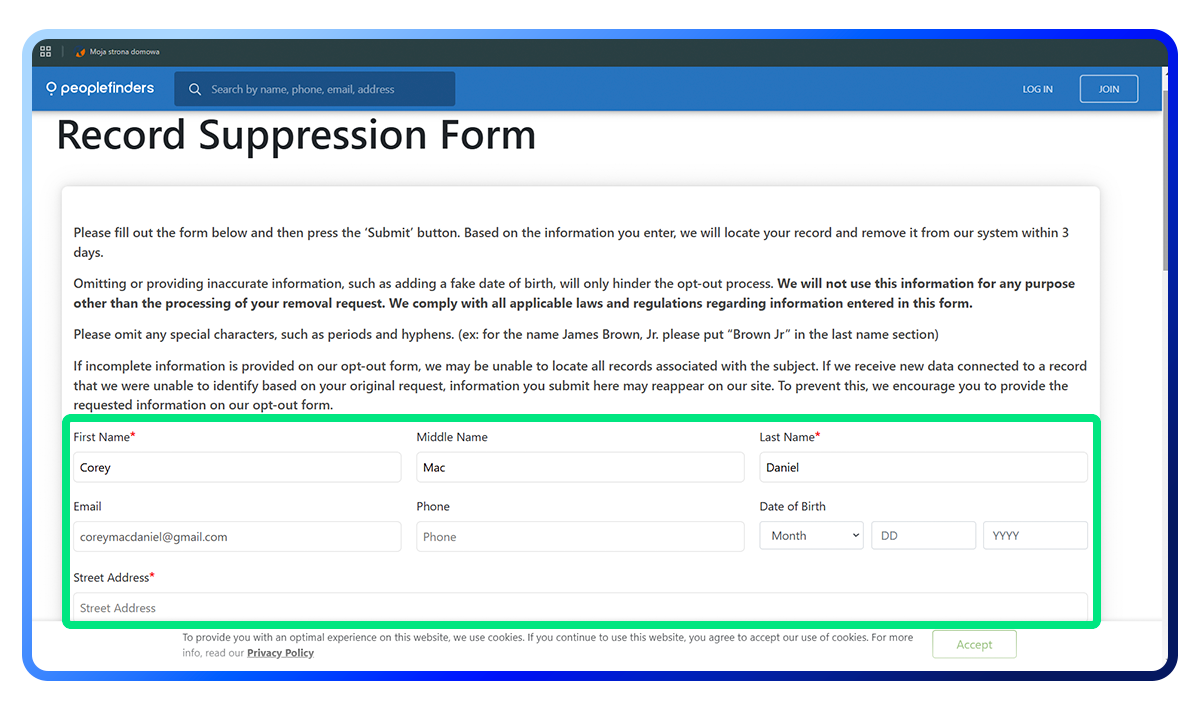
Enter only the required personal information (marked with an asterisk, “*”) to let PeopleFinders find and remove your profile.
PeopleFinders will use this information to locate your profile, which means you need to provide your real data—but limit it to the bare minimum.
7. Complete the CAPTCHA again and submit
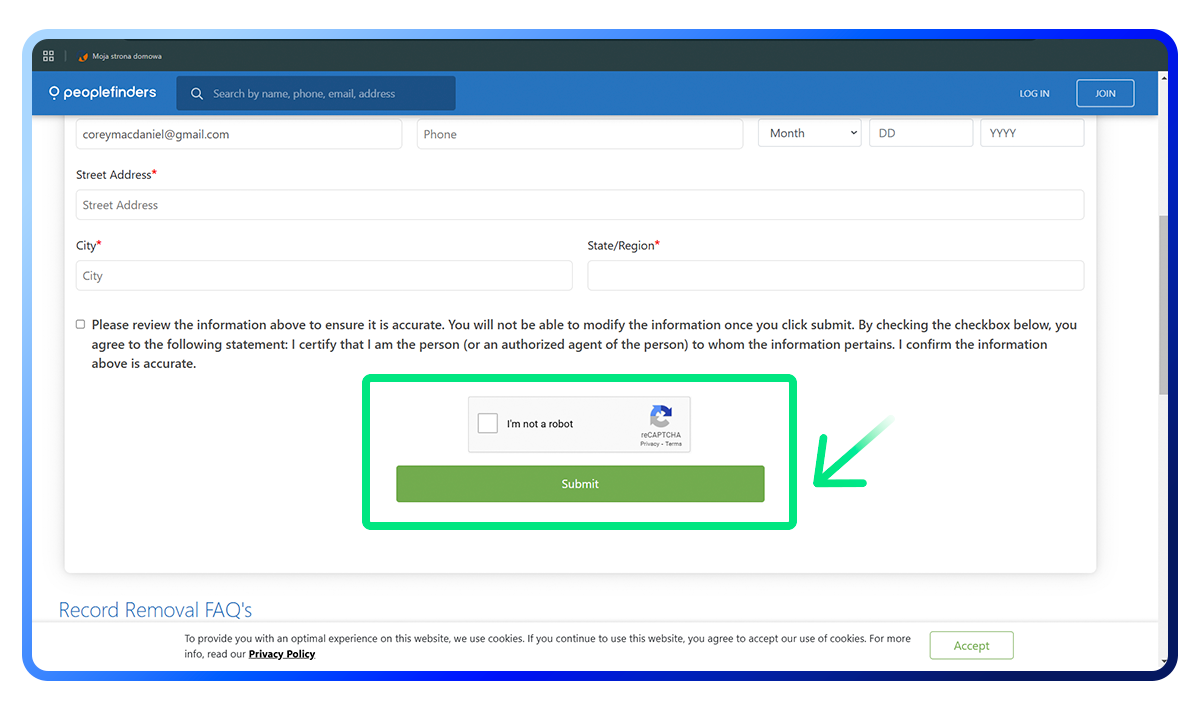
At the bottom, complete the CAPTCHA one more time.
Click “submit” to finish the process and request removal from PeopleFinders.
Continue your data removal journey
We wish we could say, “Congrats, your data is safe now!”
But PeopleFinders isn’t the only data broker exposing your personal information. In fact, there are hundreds of brokers operating in the US alone and thousands worldwide.
So, even if you remove your profile from the PeopleFinders site, your personal information is still floating around online.
But here’s what we can say—
“We’ve got you covered.”
At Incogni, we specialize in removing people’s information from data brokers on a large scale.
As soon as you sign up, we’ll send over 100 data removal requests to some of the most popular data brokers. And we won’t stop there.
To ensure your information stays private, we’ll regularly send removal requests in case your data sneaks back into brokers’ records.
Plus, with our Family & Friends Plan, we’ve got your family covered too.
Don’t let companies exploit your data for their own gain.
FAQ
What is PeopleFinders?
PeopleFinders is a website where you can search for people or look up phone numbers. You can find information about someone by using their name, phone number, email, or address. The profiles on PeopleFinders can include details like financial info, court records, family members, and more.
What kind of information is on PeopleFinders?
A PeopleFinders subscription can reveal your full name, address, phone number, past residences, relatives, aliases, age, neighbors, property records, bankruptcies, judgments, business contacts, deceased status, misdemeanors, and criminal and sex-offender checks.