Arrests.org opt-out & data removal guide
If your mugshots and arrest records are on Arrests.org, you probably know firsthand how nefarious and damaging mugshot publishing websites can be. And while you can request to opt out of Arrests.org, the process may take some time.
Arrests.org doesn’t charge for it, but it does require photo ID verification, and approvals depend on the reason you select.
But—
Removing your Arrests.org listing is a privacy fix, not a legal one. The arrest record itself stays in court and police databases until you expunge or seal it.

Opt-out process:
5-15 minutes
Removal time:
5-30 days
Requirements:
Record ID/profile URL,
redacted government photo ID, reason for removal
Cost:
free
This guide is part of Incogni’s free educational resources. Our data removal service covers 420+ data brokers through automated removals, Arrests.org isn’t one of them, but you can use our Custom Removals feature (available as part of our Unlimited Plans) to submit as many removal requests to sites like Arrests.org as you need.
Updated on: 3 July, 2026
How to opt out of Arrests.org step by step
-
Find your listing
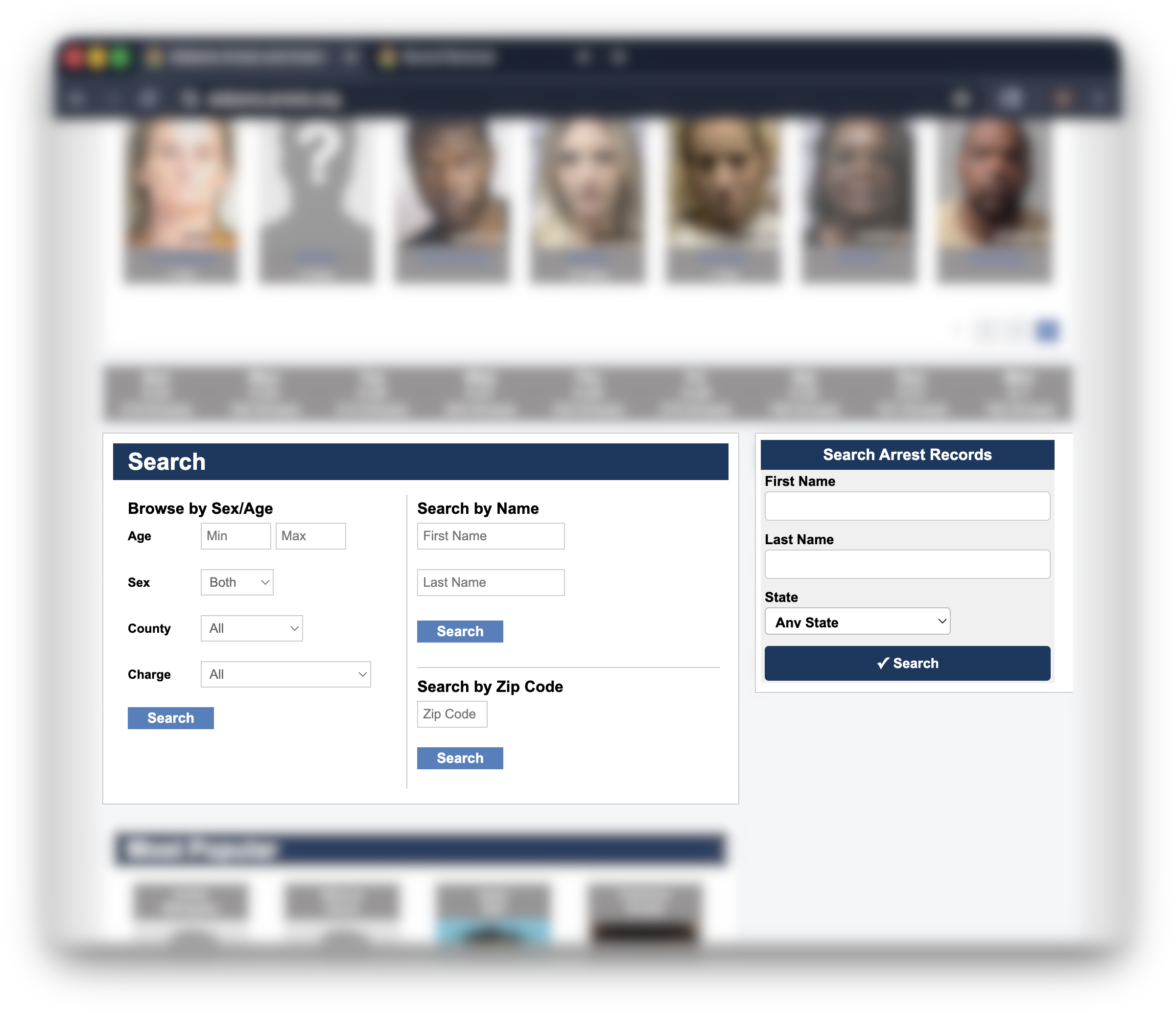
Go to arrests.org and search or browse by your name and state until you find your listing.
After the initial search, you can narrow the results down with the advanced search box further down the page.
Open the listing that’s actually you—double-check the date, location, and charges before you move on. -
Copy your Record ID
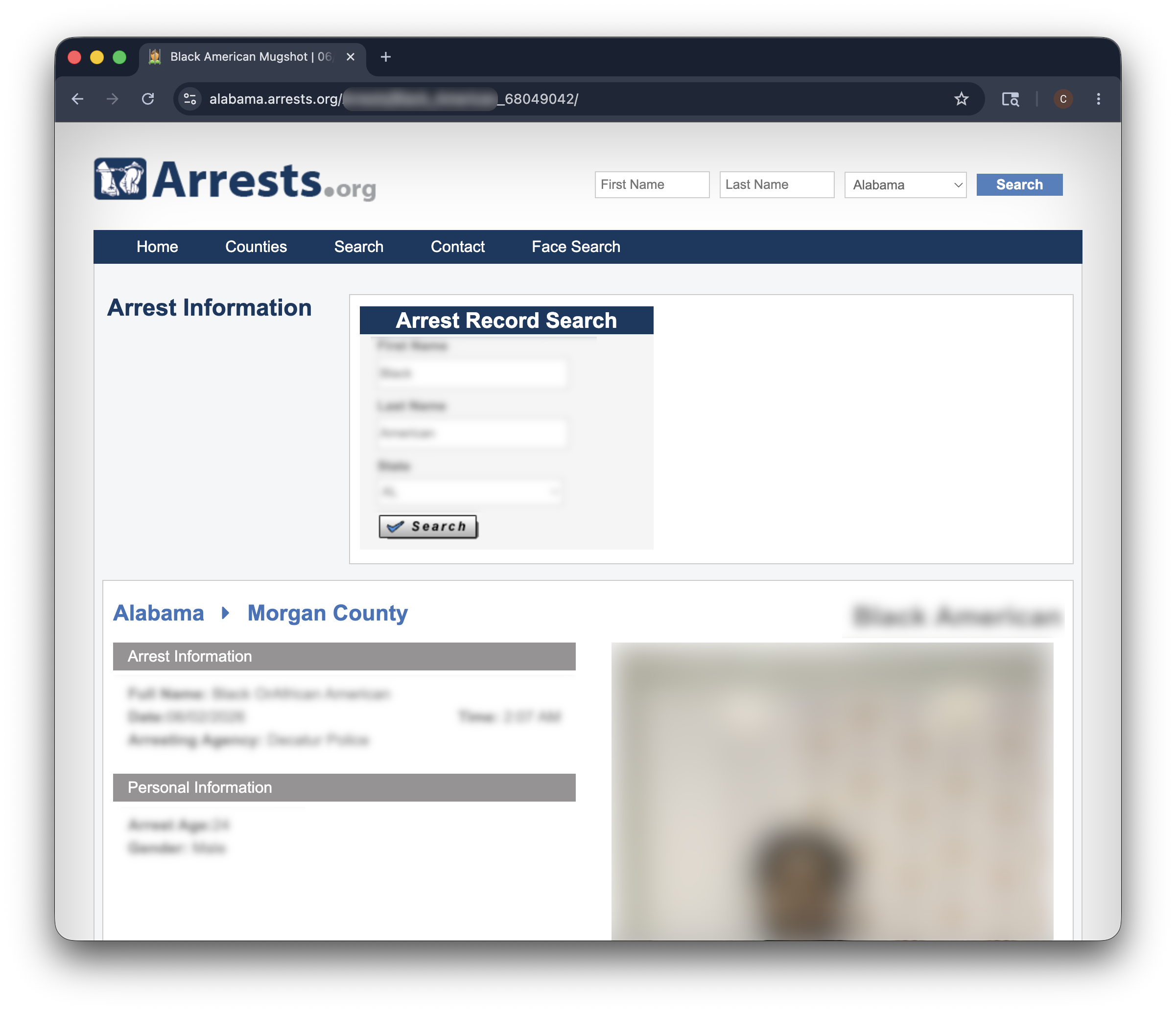
Look at the URL of your listing in the browser address bar. The ID is the string at the end of the link.
Copy it. You’ll paste it into the removal URL in the next step.
-
Open the removal form

Paste your Record ID into this URL: arrests.org/remove/?id=[your Record ID] and load the page.
That takes you straight to the removal form for your specific listing. -
Pick a removal reason
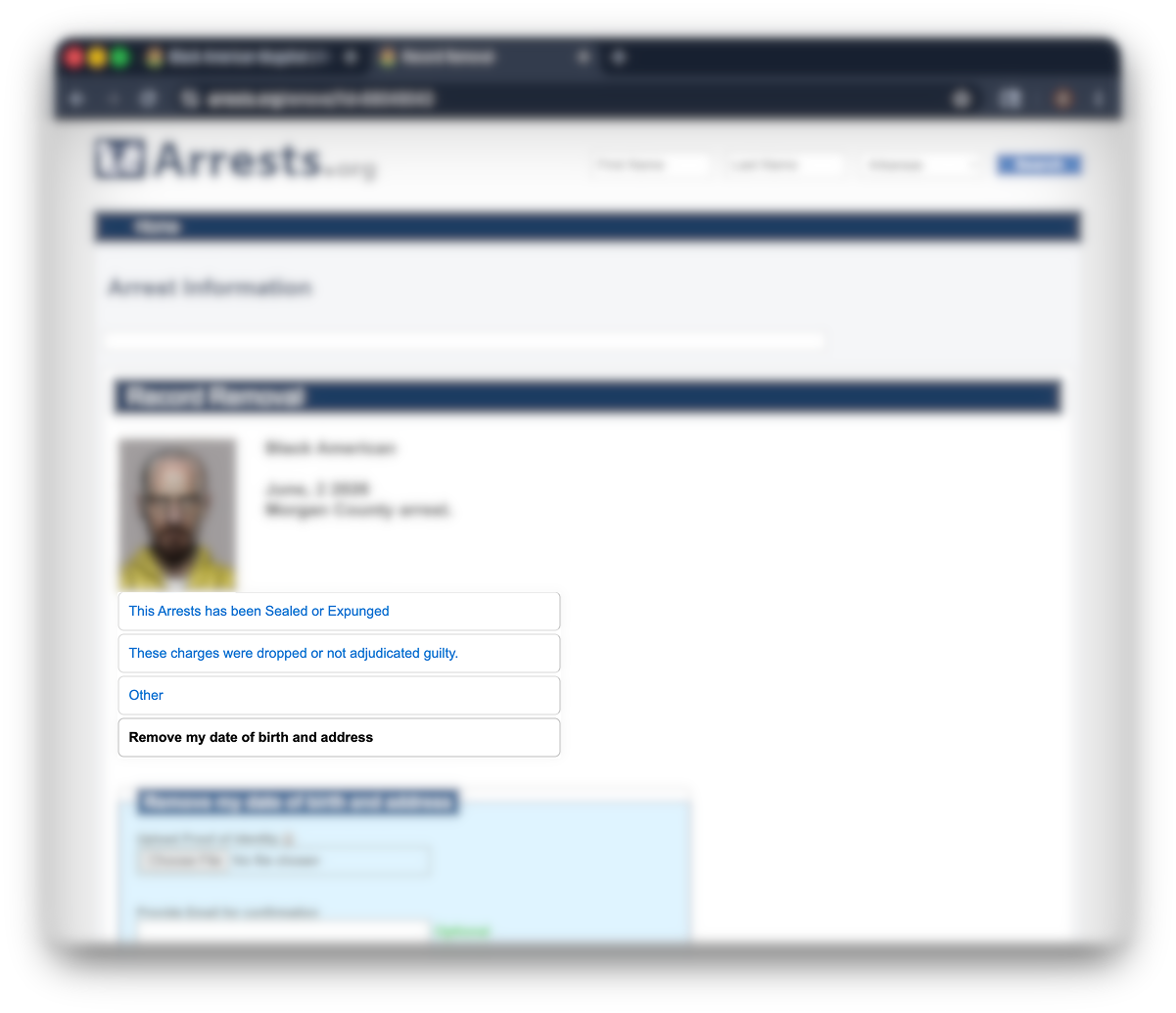
Arrests.org asks why you want the listing removed. Options usually include charges dropped, acquittal, sealed records.
Pick the one that’s true, because you’ll have to attach supporting documents. If charges were dropped—you’ll need to attach a proof of disposition, for example.
But there’s one more option: “remove my date of birth and address.”
You can select it if other reasons don’t apply to you.
-
Upload a redacted ID and supporting documents
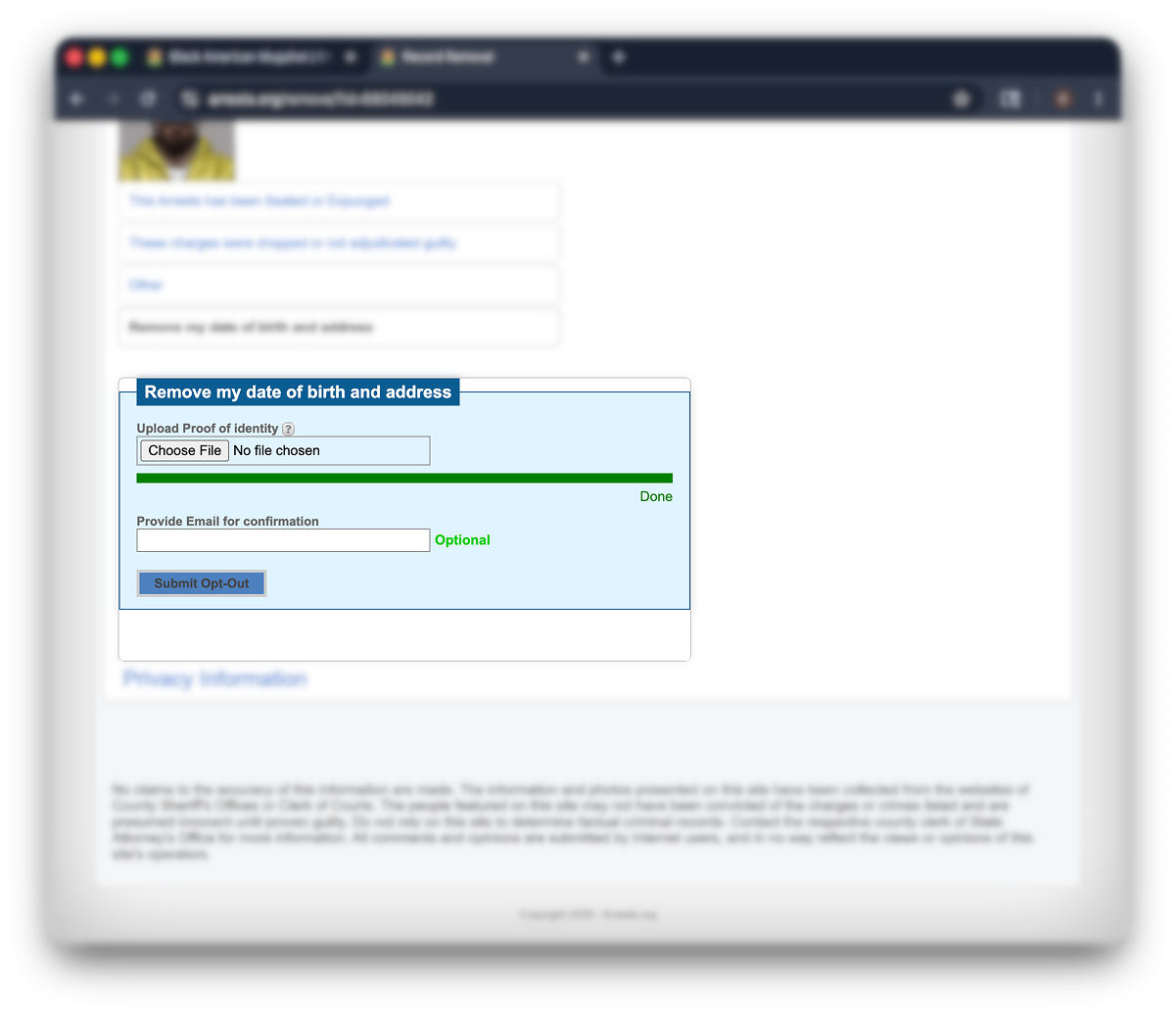
Arrests.org requires a government photo ID (such as a driver’s license, state ID, or passport) to verify the request is yours.
Before you upload, redact everything except your name, date of birth, and photo. Black out the ID number, address, signature, and any barcode. You’re proving identity—not handing over your full ID.
If your reason requires it (expunged, sealed, dismissed), attach the relevant court document too.
-
Submit and wait
Submit the form. You’ll see a confirmation on screen and usually a confirmation email. Save both.
Processing takes 5–30 days depending on volume and the reason you selected.
Alternative method: Opt out by email
If the removal form fails or you’d rather have a paper trail, send a short request to [email protected]. Include the URL of your listing, your full legal name, your date of birth, the reason for removal, and your redacted government photo ID as an attachment.
A one-line subject like “Removal request” works fine. Save your sent email—that’s your record if you need to follow up.
Removing the mugshot from Google
Arrests.org clearing your listing doesn’t clear Google’s cache.
The old result and image can linger in search for a week or more until Google re-crawls the page.
Speed it up by submitting the old URL to Google’s Refresh Outdated Content tool. Google will re-crawl the page and update or remove the cached version—timing varies.
For the image specifically, also submit the direct image URL. Google Image Search caches images separately from page results.
Here is a guide with more in-depth instructions on how to remove yourself from Google.
Troubleshooting
In short: Most Arrests.org opt-out problems come down to ID rejections, slow or silent responses, or the listing not coming down even after approval. None of them mean the request is dead.
Arrests.org rejected your ID
Usually it’s a clarity issue. Re-upload a fresh photo of your ID with better lighting, no glare, all four corners visible, and your name + photo clearly readable.
Keep the same redactions in place—black out the ID number, address, signature, and barcode. Arrests.org needs to confirm your identity, not file your whole document.
Arrests.org isn’t responding
Give it the full 30 days first. Silence isn’t a rejection.
If nothing happens after that, send a follow-up to [email protected] with your original confirmation, the URL of your listing, and a polite request for status. If that fails too, escalate to a BBB complaint or your state attorney general’s consumer protection office.
Your listing came down but Google still shows it
That’s a cache problem, not a removal failure. Submit the URL to Google’s Refresh Outdated Content tool and give it a few days.
Your mugshot reappeared after removal
Arrests.org pulls from public booking and arrest data, so if your record is re-released by the source agency, a new listing can appear. Re-submit through the same form.
For a deeper fix, look into expungement or sealing through the court that handled your case. That addresses the source record itself, not just the website listing.
Expungement vs. site removal
In short: Removing your Arrests.org listing hides one website’s copy of your arrest record. Expungement or sealing removes the underlying court record. They solve different problems and often need to happen together.
Two fixes. Two different problems.
Removing your Arrests.org listing is a website opt-out. It clears the page on that one site. The original arrest record—held by the court, the police department, and state databases—doesn’t change.
Expungement, or sealing depending on your state, is a legal process under the Fair Credit Reporting Act (FCRA) framework and state law.
You petition the court to remove or restrict access to the arrest record itself.
Once granted, expungement or sealing can restrict public access to the underlying record. What disappears from background checks depends on the state, the record type, and who’s running the check.
If your goal is a clean record for jobs and housing, you likely need both: expungement at the court, plus opt-outs from the mugshot sites still showing the old data.
Many states have passed laws restricting mugshot sites, especially those that charge removal fees—Florida and Illinois are two examples. Rules vary heavily by state.
Direct opt-out is still the fastest privacy fix; expungement is the deeper one.
Other sites that may show your mugshot
Arrests.org isn’t the only mugshot or arrest-record site pulling from the same public data. Removing your listing on one doesn’t touch the others. Each runs its own removal process:
And that’s a short list. There are hundreds more.
💡 Incogni covers 100+ sites that share public records, including criminal-record aggregators—plus 300+ other data brokers exposing your personal info across the web.
But—
Most pure mugshot sites require proof of identity to action a removal. That part has to stay manual. Use the same ID-and-reason process you used here, on each site separately.
FAQ
Are mugshot sites legal?
Generally yes, because arrest records are public information in most US states. Many states have passed laws restricting mugshot sites that charge removal fees (Florida and Illinois among them), but the publishing itself remains legal in most places.
You can’t make the site illegal. You can get your listing off it. That’s what opt-outs and expungement are for.
How did Arrests.org get my information?
From public arrest records and county jail rosters. Police booking data, sheriff’s office releases, and court filings all feed into the database. You don’t have to give permission, and you don’t get a notice before a listing goes live.
Can I remove an arrest from my record entirely?
Not through a website opt-out. To remove the underlying record, you need expungement or sealing through the court that handled your case. Eligibility depends on the charge, the outcome, your state, and how much time has passed.
A criminal defense attorney or your state’s legal aid office can tell you what’s possible in your situation.