Intelius Opt-Out & Data Removal Guide
Intelius has a pretty bad rep when it comes to collecting data without consent. They were also known for making it notoriously difficult to opt out. Fortunately for you, one of those bad practices has changed due to bad press.
These days, you can opt out of Intelius without too much hassle. You will need to opt out of another data broker—PeopleConnect—to get your personal info off the Intelius website.

Updated on: 03 August, 2026
Opt-out process:
5–10 minutes
Removal time:
up to 48–72 hours
Requirements:
a valid email, your legal name, and date of birth
Cost:
free
This guide is part of Incogni’s free educational resources.
Some data brokers and people search sites need a manual push—Incogni’s custom removals are unlimited, so you can submit as many pages as you want and have your personal info cleared.
🛡️ 30-day money-back guarantee
How to opt out of Intelius step by step
-
Open the Intelius privacy page
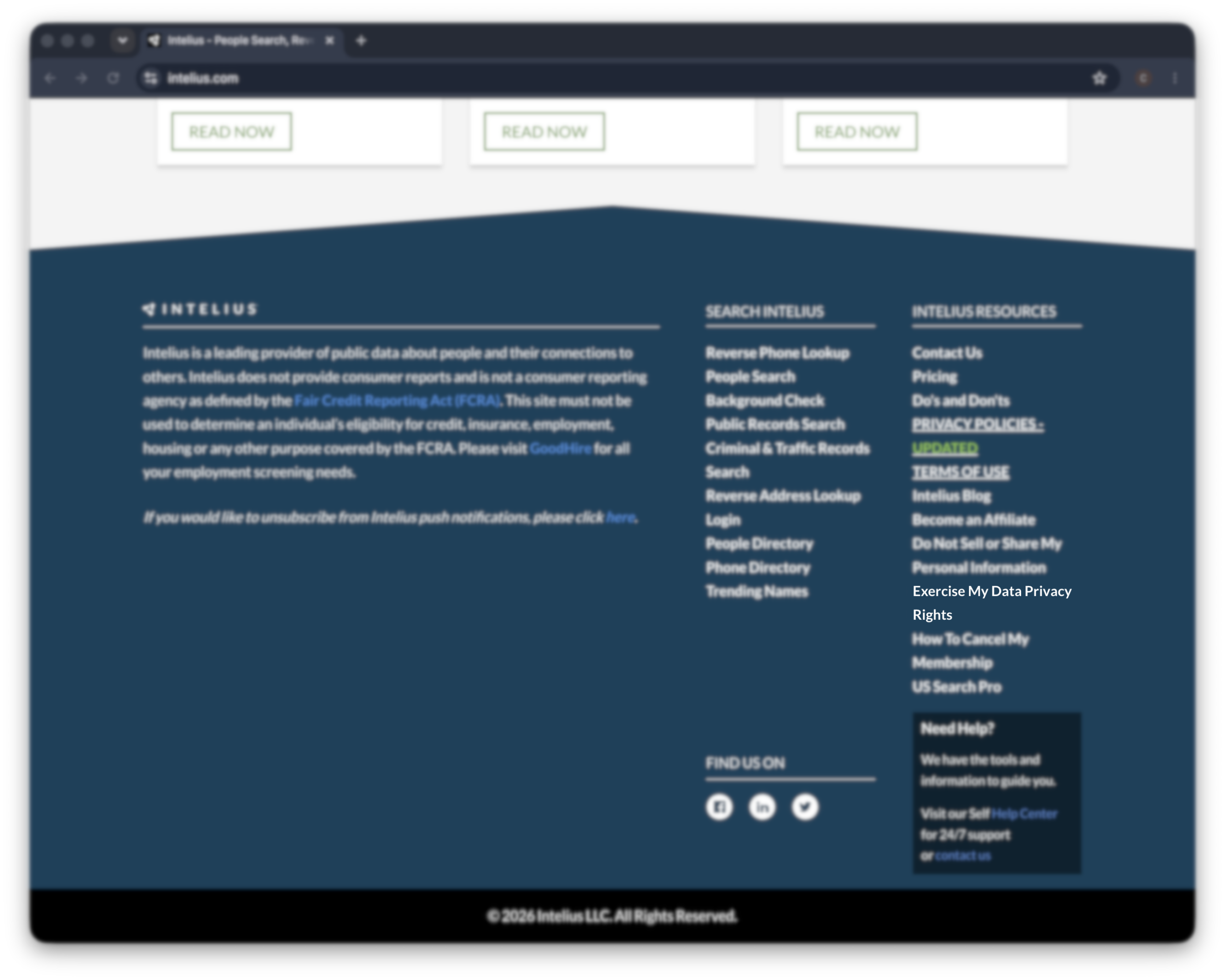
Go to app.intelius.com/privacy-center.
Or get there from the homepage: scroll to the footer and click “exercise my data privacy rights.”
That’s the right entry point. The homepage is built to sell you a paid report, so don’t go hunting through search results—the privacy page is where removal actually starts. -
Open the suppression tools
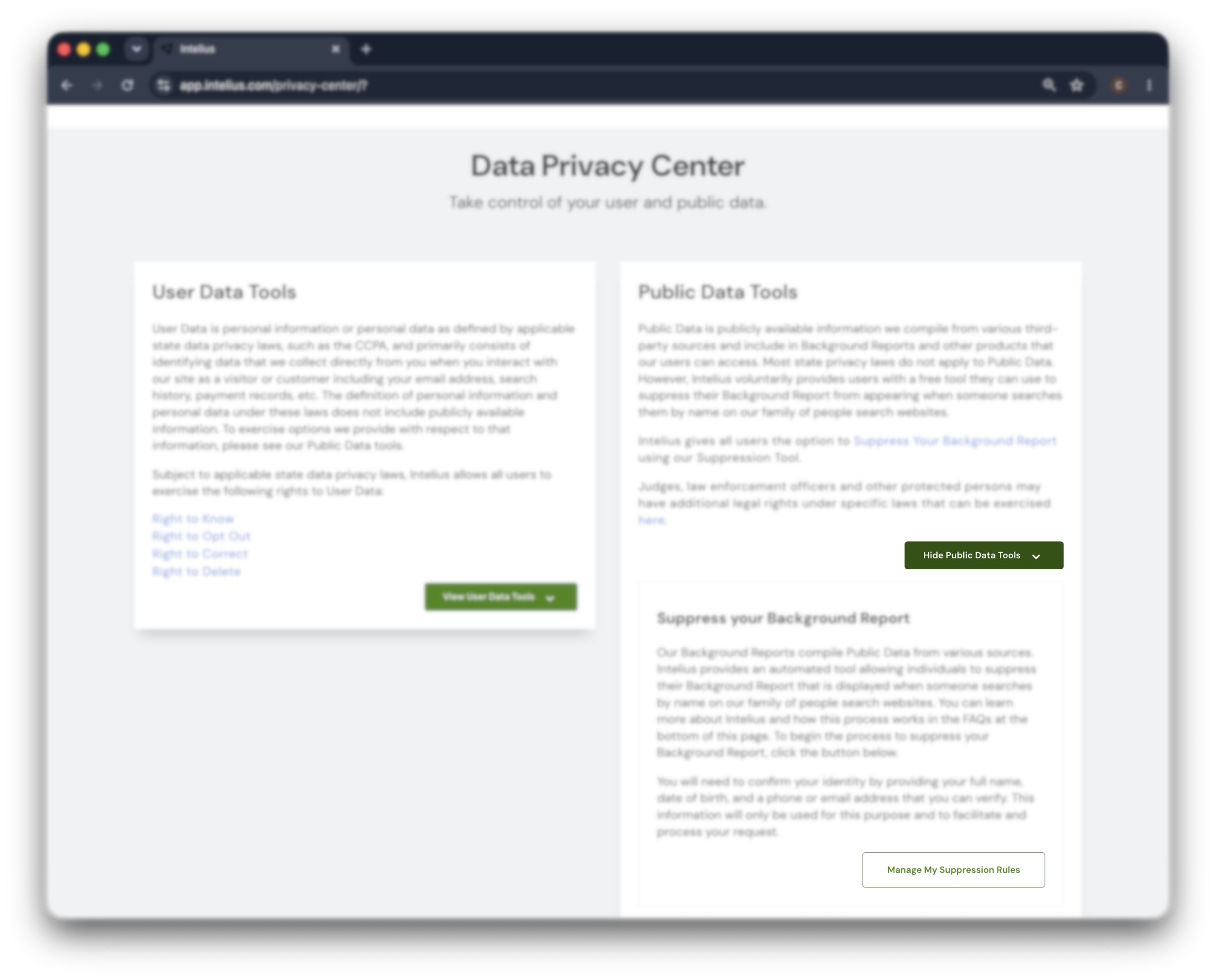
On the privacy page, click “view public data tools,” then click “manage my suppression rules.”
This redirects you to the PeopleConnect Suppression Center, the shared hub that handles removals for Intelius and its sister sites. -
Verify your email
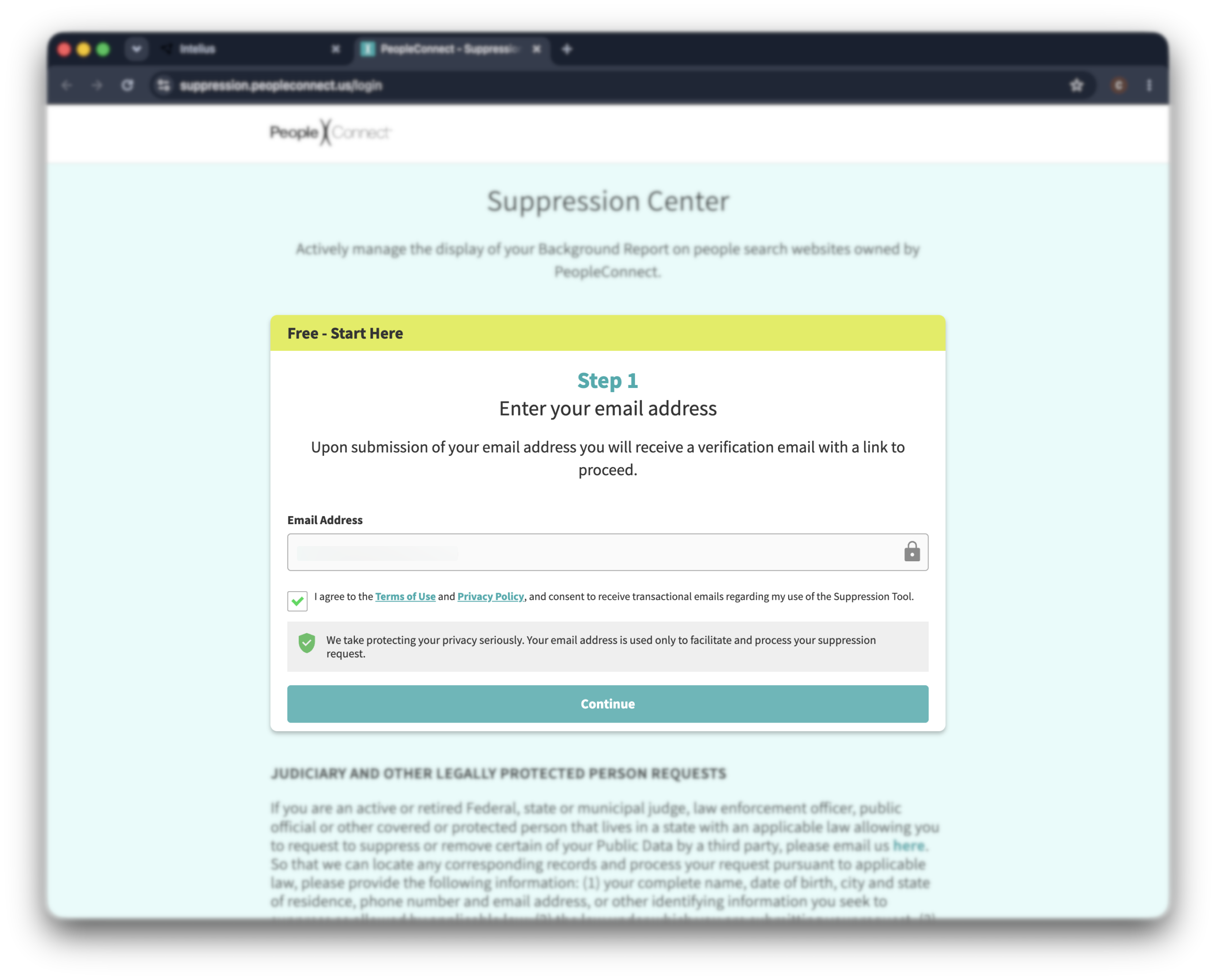
Enter your email address, agree to the terms, and submit. PeopleConnect emails you a verification link. Open it and click through.
Move quickly—the link expires after about 15 minutes. Use an inbox you actually check, because the whole process hinges on that link landing somewhere you can reach.
-
Enter your details and find your record
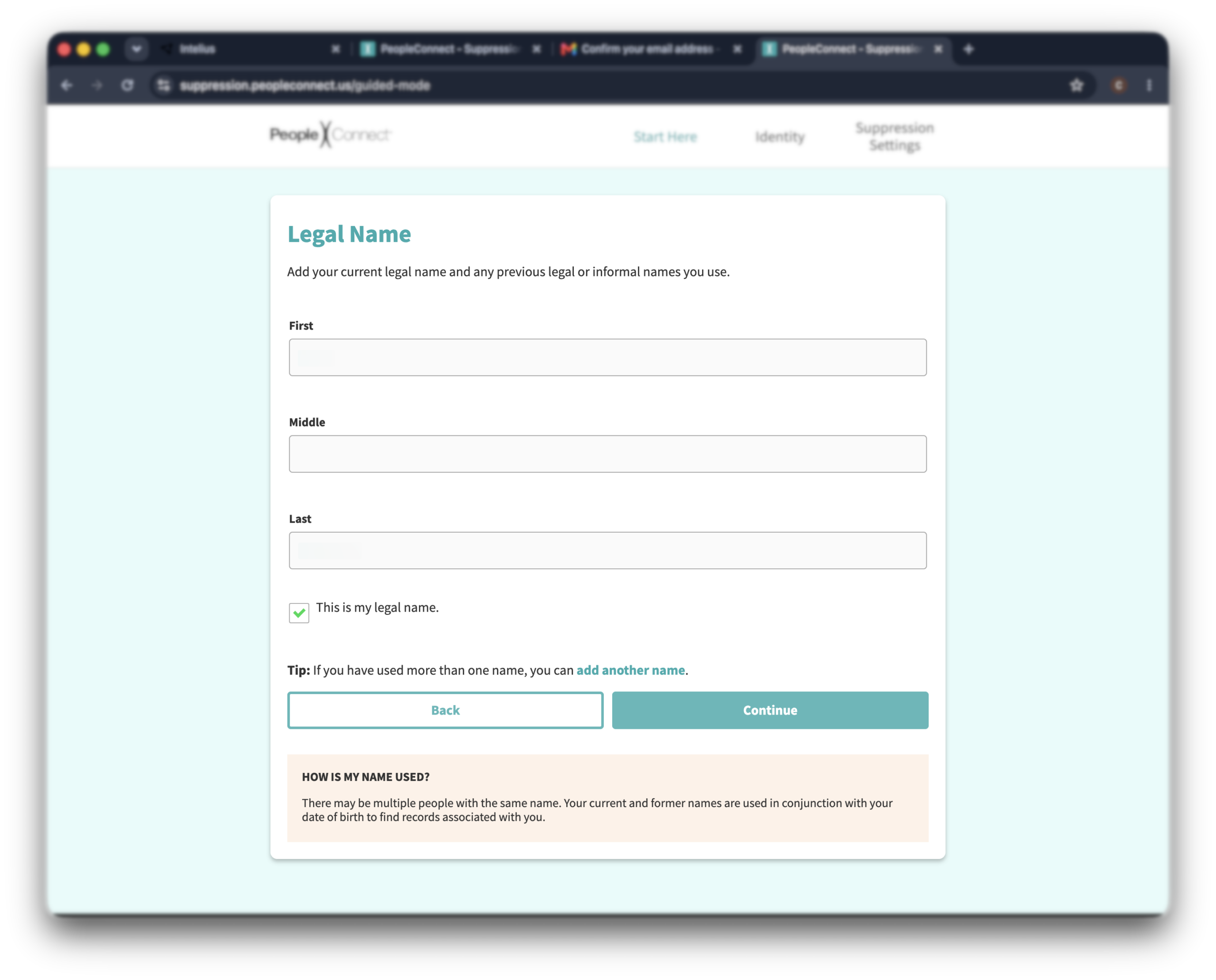
After verifying your email, enter your date of birth, check the box, and click “continue.” Then enter your full legal name—first, middle, and last.
-
Select your record
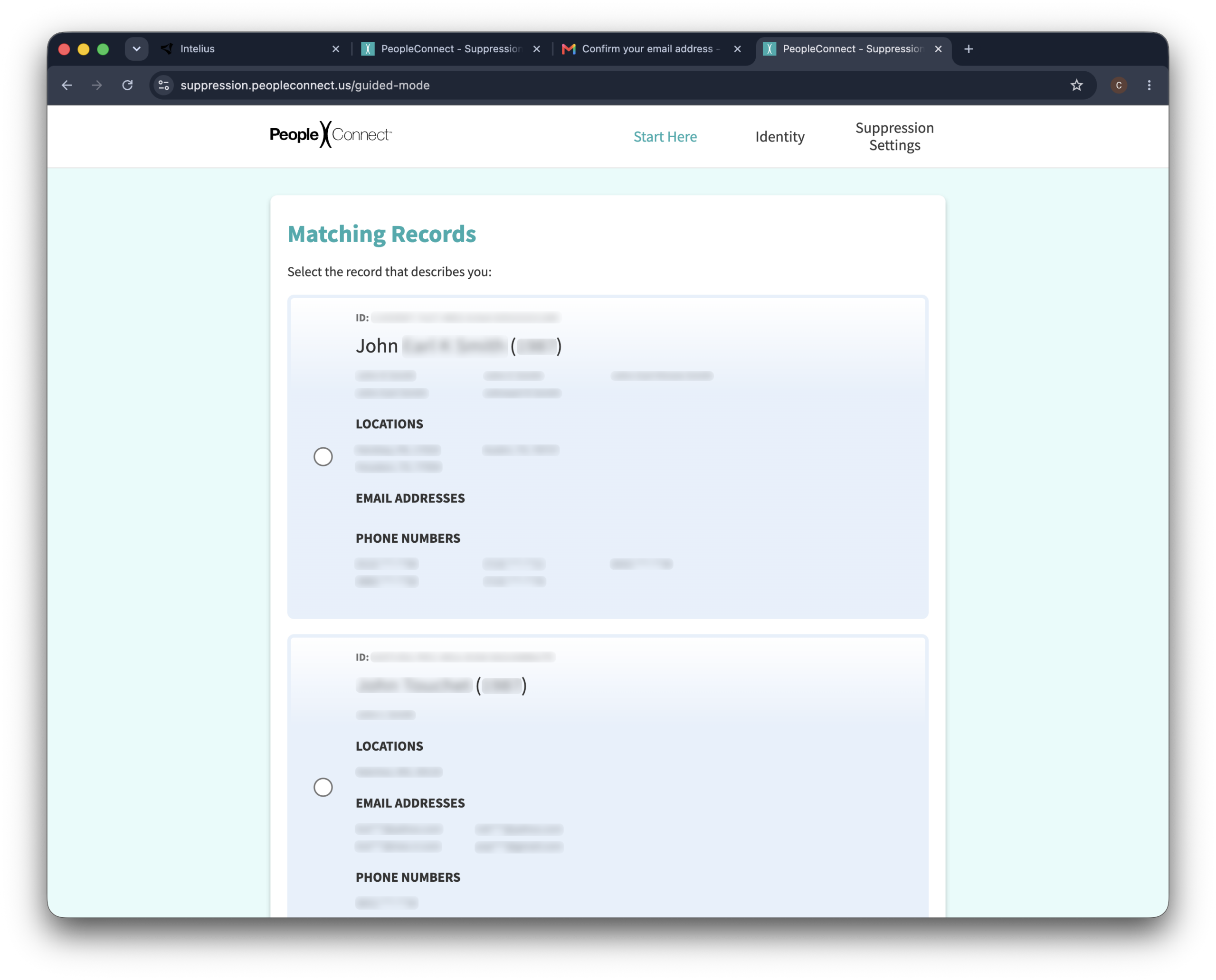
Review the results carefully. There can be more than one near-match, so confirm the age, location, and known relatives line up before you act—you only want to suppress the listing that’s actually you.
-
Verify your identity with a code
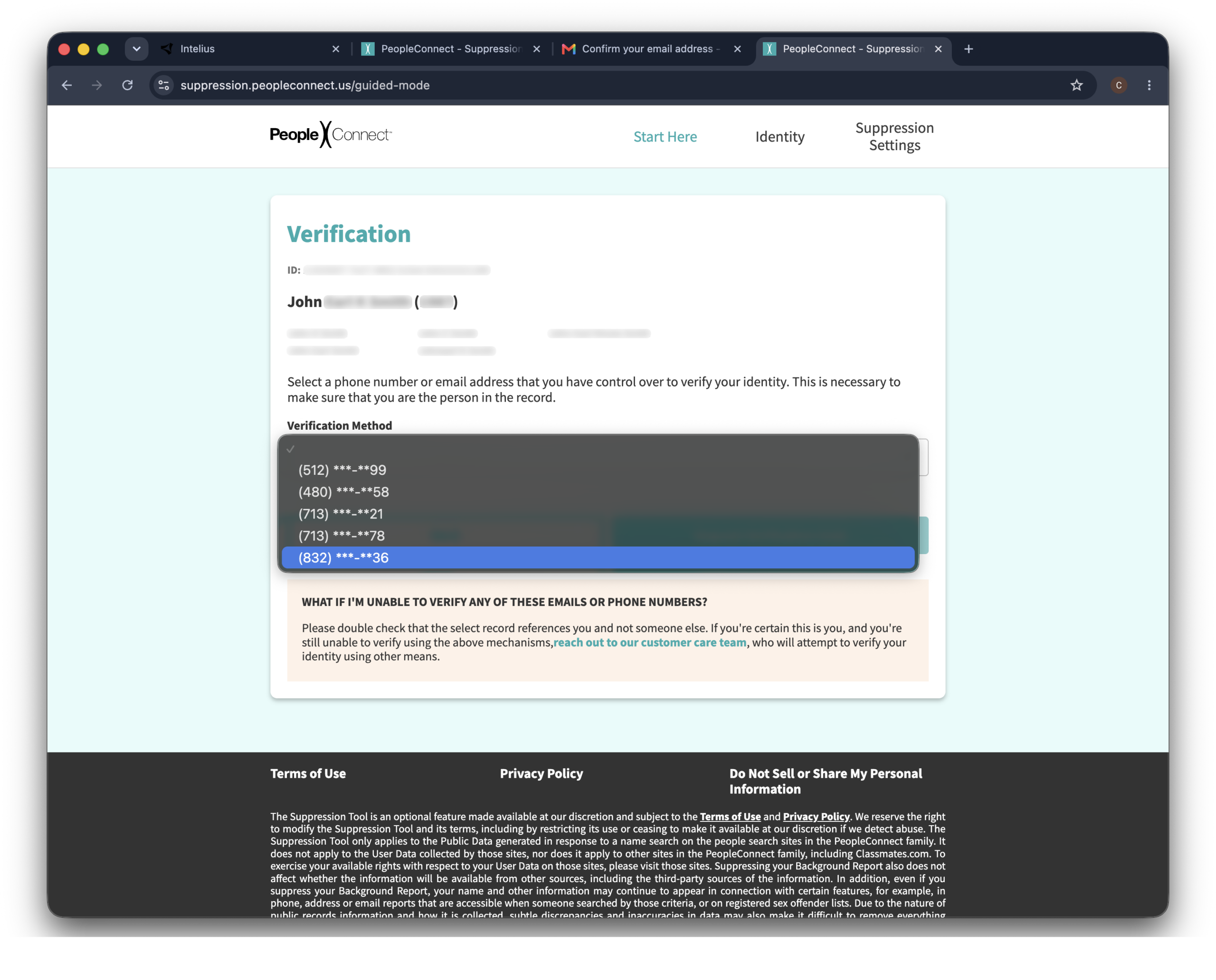
Before it will suppress anything, PeopleConnect asks you to prove the record is yours. It shows the email addresses and phone numbers tied to that record and asks you to pick one to receive a verification code.
Choose an email or phone number you can actually access, then click “request verification code.” The code arrives by email or text. Enter it to confirm.
Here’s the catch—you can only verify through contact details already on the record.
If the listing shows an old email or a phone number you’ve lost access to, you can’t complete the form. In that case, skip to the phone or email route below and have a rep suppress it manually.
-
Set your record to suppressed
Once your identity is confirmed, find the “desired behavior” setting, choose “suppressed,” and click “save.”
You’ll get an on-screen confirmation. Save a screenshot or note the date—you’ll want it if the listing resurfaces and you need to follow up.
Alternative opt-out methods
In short: If the Suppression Center form fails—most often because the verification code can only go to an old email or phone number you’ve lost—Intelius also takes removal requests by phone and email. Call (877) 564-3253 or contact Intelius customer care by email. Both reach the same team.
Use these if the online form rejects your details, the code can’t reach you, or you just want a paper trail.
Phone
Call Intelius customer care at (877) 564-3253.
Hours are Monday to Friday, 7:00 a.m. to 4:00 p.m. Pacific time.
Tell the rep you want to opt out and suppress your data—not cancel a subscription.
Have your name, date of birth, and the addresses tied to the listing ready so they can find and verify your record.
You can also email Intelius customer care to request suppression.
Include your full legal name, date of birth, and any current or past addresses to help them match the record, and state plainly that you’re requesting suppression of your personal information from Intelius’s people-search products.
A one-line subject like “Opt-out request” is enough.
Here’s a template you can use:
Subject: Opt-out request—[Your Full Name]
Hi PeopleConnect privacy team,
I’m requesting that you suppress my listing on Intelius (and across the PeopleConnect network) under applicable US privacy laws.
Record details:
- Full legal name: [First Middle Last]
- Date of birth: [MM/DD/YYYY]
- Current address: [City, State, ZIP]
- Past addresses: [list any]
- Intelius profile URL (if you have it): [paste link]
Please confirm once the suppression is complete.
Thanks, [Your Name]
Opting out vs canceling your subscription
This is where people get burned.
Intelius markets paid memberships hard, so a lot of users assume that canceling the subscription wipes their data too.
It doesn’t.
Canceling stops Intelius from charging your card. Your listing stays in the database, searchable by anyone.
To actually remove yourself, you have to run the suppression process above—and if you also have an active paid plan, cancel that separately through your account or by calling (888) 245-1655.
So if your goal is privacy, the subscription cancellation is only half the job. The suppression is the part that takes you off the site.
What to expect after opting out
Give it a full three days.
Some records drop sooner, but Intelius allows itself up to 48–72 hours to process a suppression.
Then check your work.
After a few days, search your name on intelius.com again. If your listing’s gone, you’re off. Keep the confirmation screenshot anyway—you’ll want it if the same record comes back.
One opt-out, several sites.
Because Intelius shares the PeopleConnect Suppression Center with TruthFinder, Instant Checkmate, and US Search, a single suppression covers all of them. That’s the upside of the shared hub.
But—
Suppression isn’t permanent. PeopleConnect keeps pulling from public records and commercial data, so a fresh listing can appear later as those sources refresh. The opt-out works; the data pipeline is what brings you back.
Troubleshooting
In short: Most Intelius opt-out problems come down to three things: the verification email never arrives, the search returns no records, or the listing’s still up after a few days. None of them means the request is dead.
The verification email never arrived
Check spam and promotions first, and search your inbox for “PeopleConnect.”
Still nothing? The link may have expired—it only lasts about 15 minutes. Restart at intelius.com/privacy and try a personal email address, like Gmail or Outlook, which tends to get through more reliably than work email behind a corporate filter.
The search returns no records
If the Suppression Center says it found nothing, try variations of your name—middle name included, then left out—and double-check your date of birth.
Records are sometimes filed under an old address or a name variant. If it still comes back empty, fall back to the phone or email route above and let a rep search manually.
Multiple records exist
If the search returns more than one listing that’s you, suppress each one. The Suppression Center handles them individually, so don’t stop at the first match.
Removal is taking longer than 72 hours
Intelius’s stated window is 48–72 hours, but it can stretch during busy periods. If three days have passed and your listing’s still up, follow up by email at [email protected] with your original request and the submission date.
Your listing still shows up on Google
Google caches pages on its own schedule. Your Intelius page can vanish from Intelius but linger in search results for days. You can speed this up by submitting the URL to Google’s Remove Outdated Content tool once the page returns a 404.
Other data brokers that may have your info
Intelius isn’t the source of your data. It’s one buyer in a crowded market.
The same name, address, and phone records behind your Intelius listing are sitting on Whitepages, Spokeo, BeenVerified, and many others.
Each broker runs its own removal process, and most re-list your data within months.
You can work through them one at a time with our broker-specific guides.
Or—
Skip the cycle. Where Intelius bundles a few sites under PeopleConnect, the wider broker market doesn’t play along—you’d be filing the same request over and over as listings creep back.
Incogni covers 420+ data brokers, files those opt-outs for you, and re-files them every time your data resurfaces.
Although Intelius is not covered in the automated removals, you can still have it handled by the Incogni team through a feature called Custom Removals—just place a link and a human expert will get to it.
Intelius opt-out video guide

FAQ
Is Intelius a legit service?
Intelius is a legitimate, legally operating data broker run by PeopleConnect. It pulls from public records and commercial data sources, which is legal in most of the US. That said, it’s a paid people-search site, not a certified background-screening company—so its reports aren’t FCRA-compliant and shouldn’t be used for hiring or tenant decisions.
Is it hard to cancel Intelius?
Canceling itself is quick—call (888) 245-1655 or manage the plan in your account, and the billing stops. The part that catches people out is assuming that’s the end of it. A canceled subscription leaves your listing fully intact, so if your goal is privacy rather than just stopping charges, treat cancellation and suppression as two separate jobs.
Will opting out hurt my credit or show up on a background check?
No. Intelius isn’t a credit bureau or an FCRA-regulated screening provider, so suppressing your listing has zero effect on your credit score or on an official employment, tenant, or lending background check. All it does is remove your profile from a people-search site that anyone can browse.