Florida Residents Directory Opt Out & Data Removal Guide
To opt out from the Florida Residents Directory you need to fill out a removal-request form. Records usually come down within 48 hours. No account, no fee.
Here’s the catch you need to understand before you start: opting out here only clears this website. It does nothing to the underlying state records the site copies from.

Updated on: 04 August, 2026
Opt-out process:
5–10 minutes
Removal time:
allow 3 days
Requirements:
your name, a valid email address
Cost:
free
How to opt out of Florida Residents Directory step by step
Find your profile
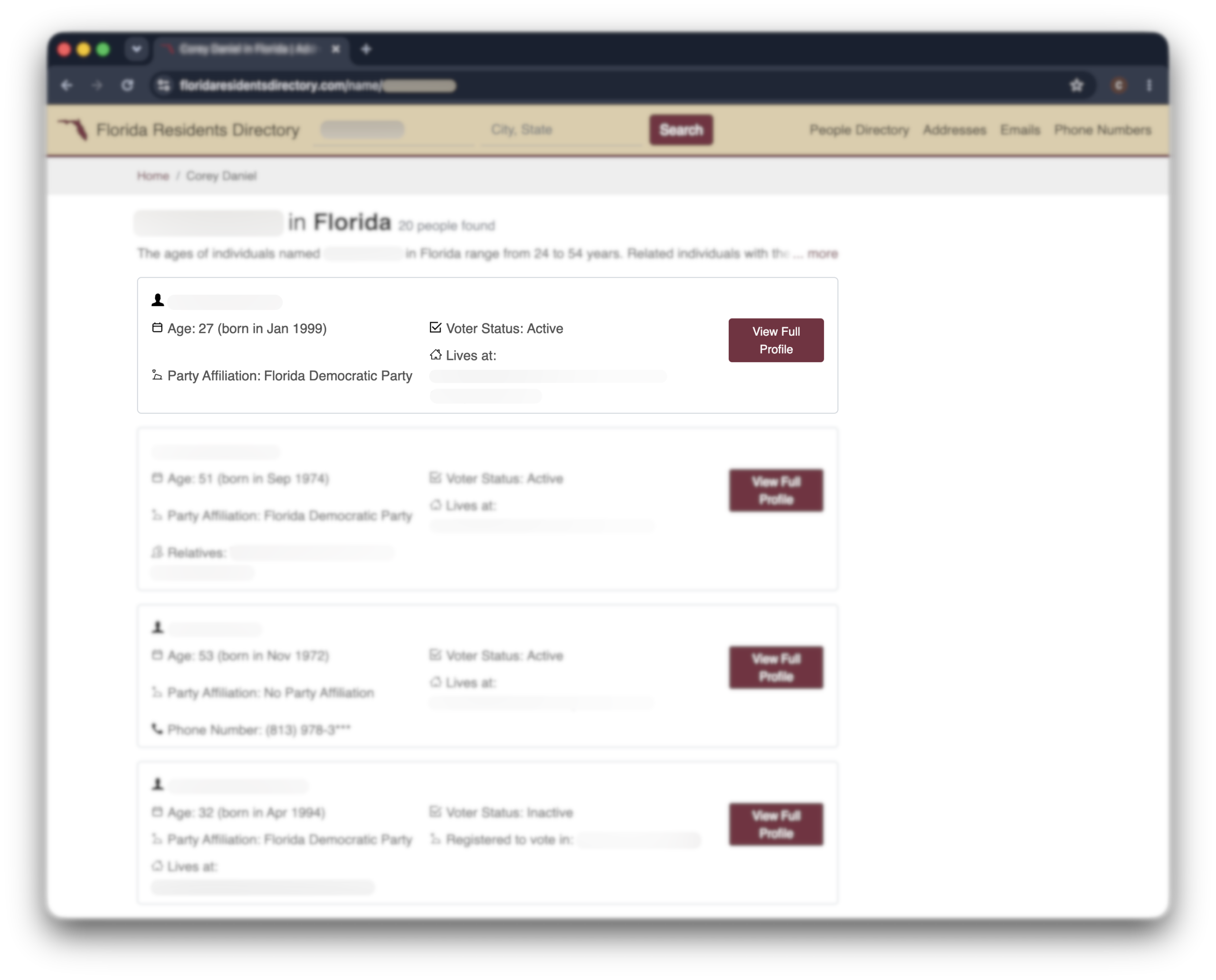
Go to floridaresidentsdirectory.com and search your first and last name. Narrow it with your city or state if there are several matches.
Open the record that’s actually you. Check the address, age, and any relatives listed before you go further—you want the exact profile, not a near-match.
Copy the profile URL
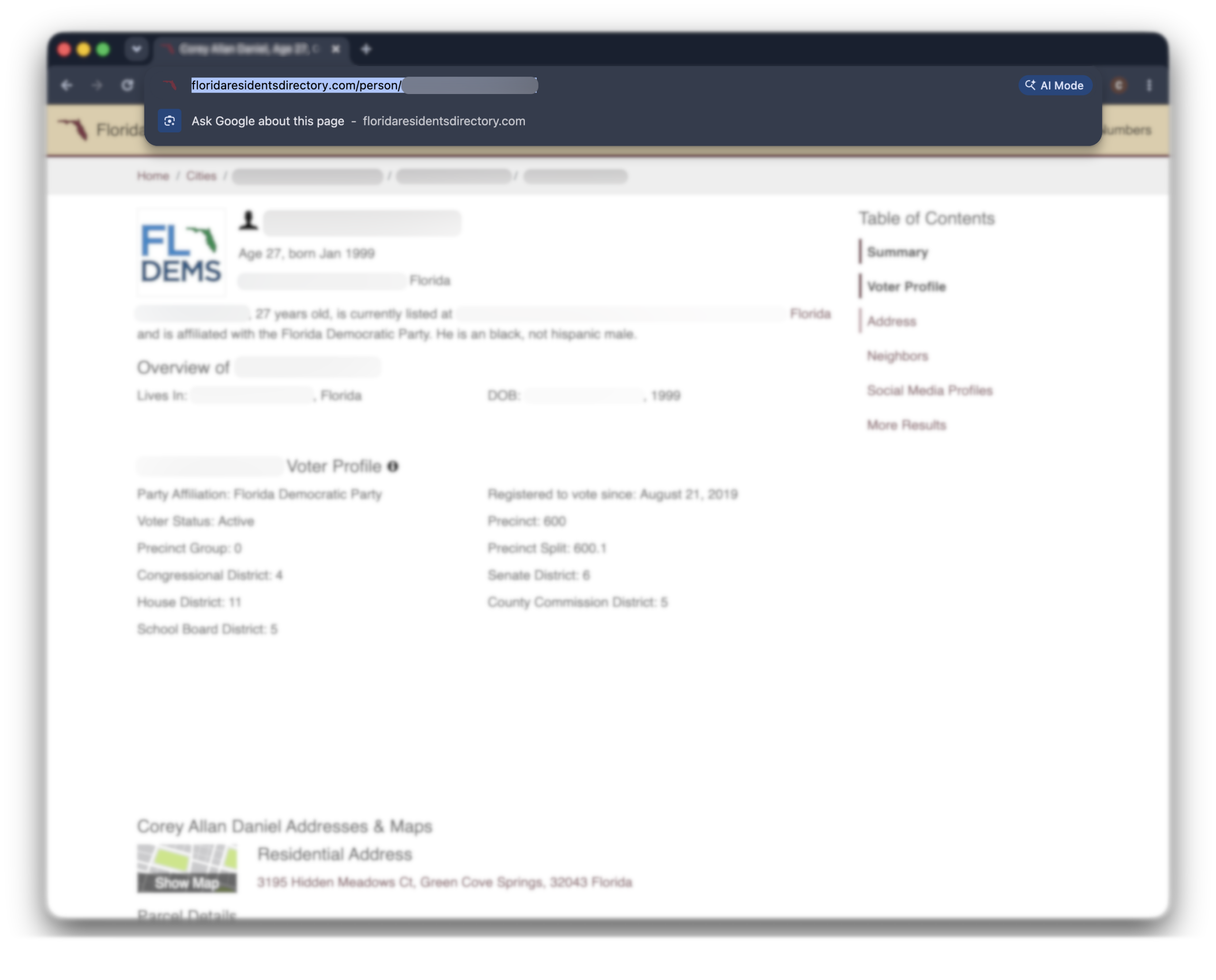
With your full profile open, copy the URL straight from your browser’s address bar.
Do this before you open the opt-out page. The form needs that exact link to know which record to pull—and it’s easy to lose if you navigate away first.
Open the opt-out form
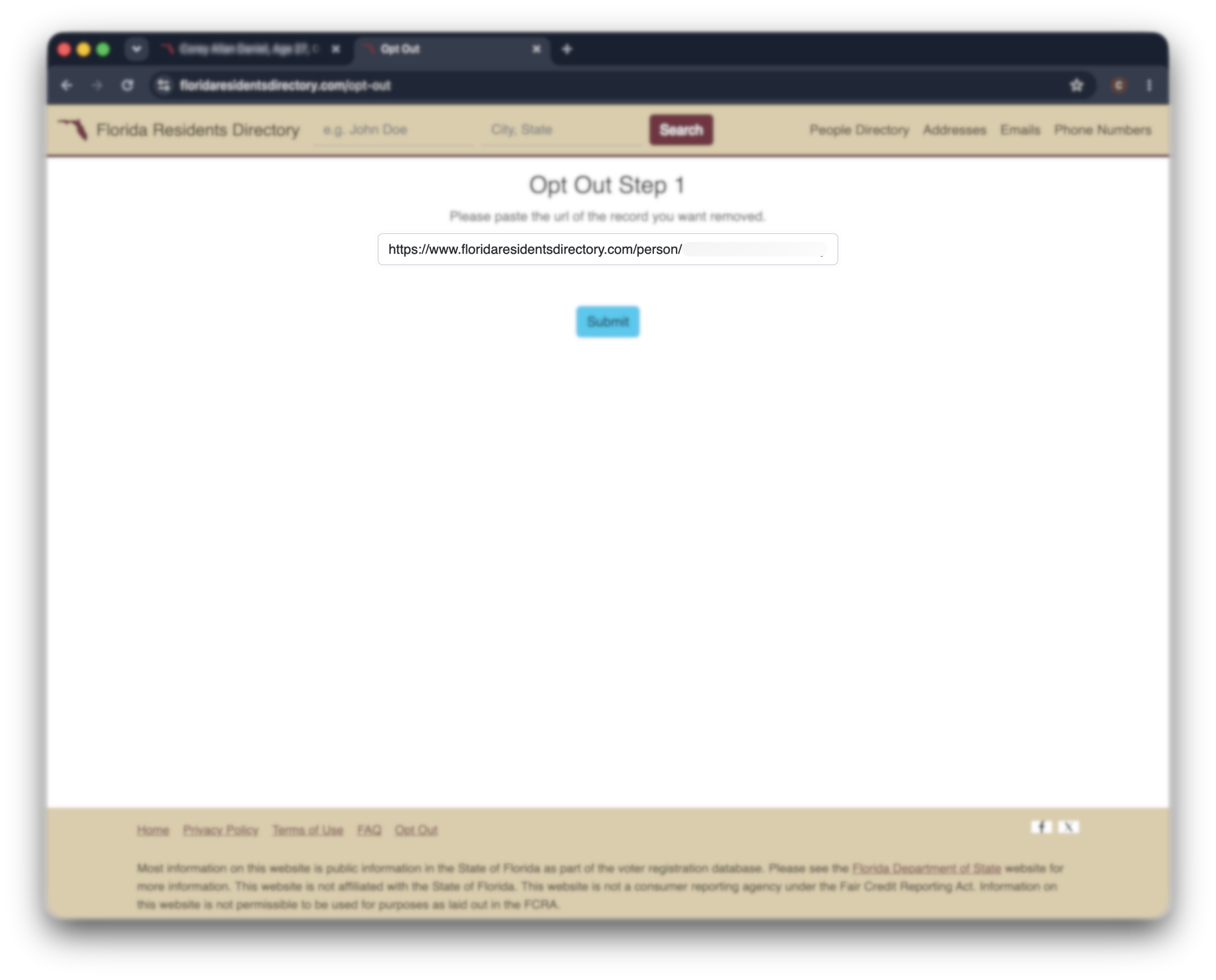
In a new tab, go to floridaresidentsdirectory.com/opt-out. Paste your profile URL into the field at the top.
That’s the dedicated removal page. Don’t go hunting through the homepage—this is where the request actually gets filed.
Add your details and submit
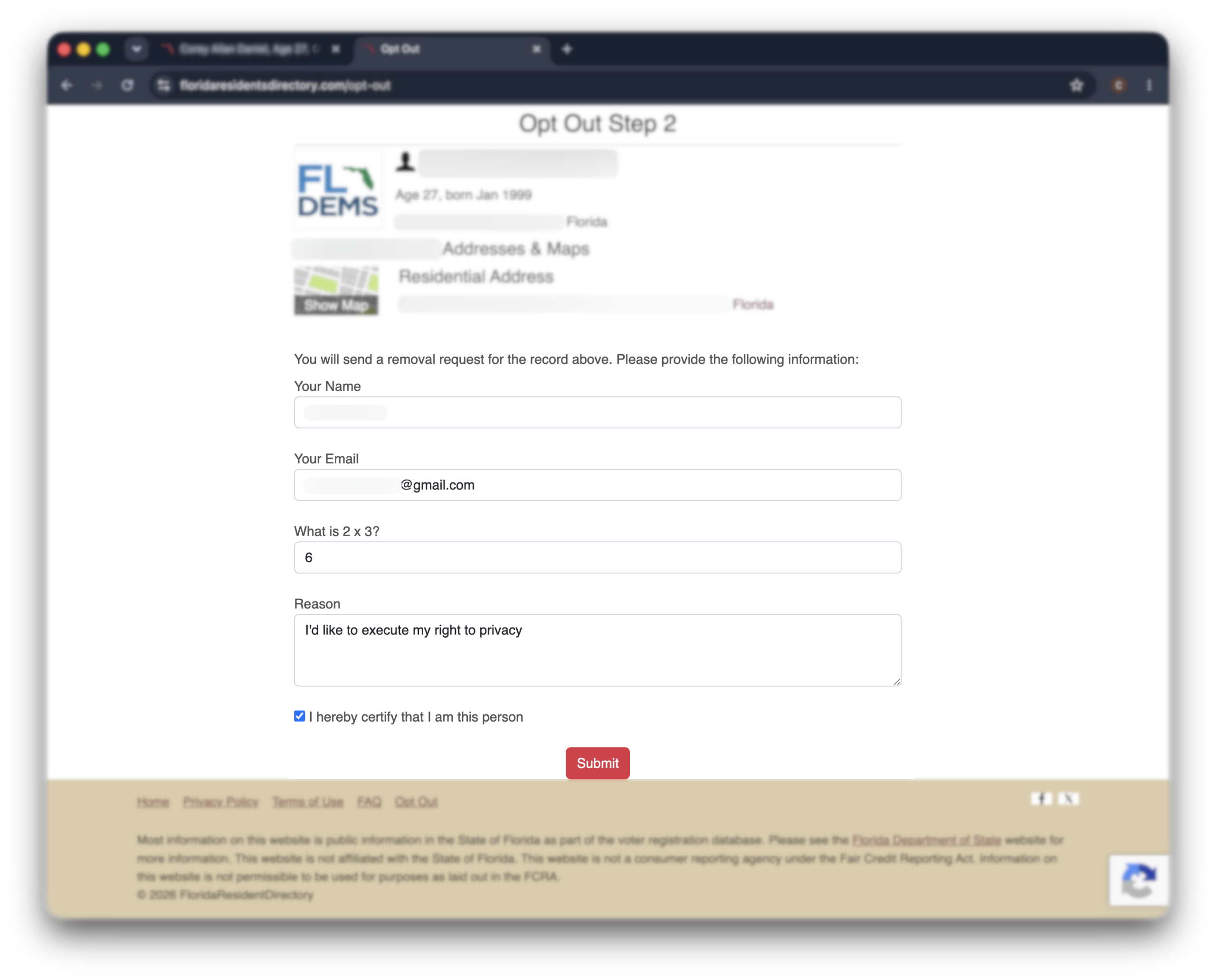
Enter your name and an email address you can check, pick a reason for removal if the form asks, and clear the CAPTCHA.
Use an email you’ll actually open—some opt-outs send a confirmation step there. Then click “submit.”
You’ll see an on-screen confirmation. Screenshot it or note the date. That’s your proof if the record resurfaces.
Alternative opt-out methods
There’s no removal email or phone line here. The form is it.
And skip the legal shortcut you’ll see elsewhere: the Florida Digital Bill of Rights only applies to companies making over $1 billion a year.
Small businesses and most data brokers are carved out—so it doesn’t reach a site like this.
The one real lever is the record underneath: Florida law lets you exempt your address from the public voter file through your county Supervisor of Elections.
That hits the source the site copies from, which an opt-out can’t.
But there’s a catch: only specific groups qualify for this.
Law enforcement, judges, stalking or domestic-violence victims, and a few others.
What opting out here actually does
The Florida Residents Directory isn’t the source of your data.
It’s a private company that scrapes Florida’s public records—chiefly the voter file—and republishes them in a searchable format.
So removing your listing takes you off their site. It does not amend, hide, or delete anything held by the state.
If your worry is the voter record itself—not just this website—that’s the exemption route covered just above.
It’s the only path that touches the data at the state level.
What to expect after opting out
In short: The Florida Residents Directory usually clears a confirmed record within 48 hours. But because it refreshes from Florida’s voter rolls and other public records, your listing can reappear later as those sources update.
Give it 48 hours.
Most records drop within two days of a confirmed request. Search your name on the site again after that to check.
Keep your confirmation.
Screenshot the confirmation page or save any confirmation email. If the record comes back, that’s your proof you already opted out.
Then expect it to creep back.
Here’s the frustrating part. The site rebuilds from state voter rolls on a rolling basis, so a fresh listing can appear months later—pulled from a new copy of the same public record you can’t easily change.
That’s the whack-a-mole problem with state-records brokers: one removal isn’t the end. It’s a recurring chore.
Troubleshooting
In short: Most Florida Residents Directory opt-out trouble comes down to three things: a CAPTCHA that won’t clear, family members linked to your record, or a listing that reappears after a voter-roll refresh. None of them means you’re stuck.
The CAPTCHA keeps failing
Refresh the page and try again—stale CAPTCHAs are the usual culprit.
If it still won’t clear, switch browsers or turn off ad blockers and privacy extensions for the page; they often break the CAPTCHA widget. A different device or network can help too.
Your record is linked to family members
These listings often tie you to relatives at the same address. Opting out removes your record—it doesn’t remove theirs.
Each person has to opt out separately. Copy each individual profile URL and submit a separate request for each family member who wants off.
Your record came back
A listing that returns weeks or months later almost always means the site re-pulled your data from an updated voter roll. It doesn’t mean your first request was ignored.
Submit the opt-out again with the new profile URL. If it keeps returning, that’s the cue that chasing one state-records site by hand is a losing setup.
Other data brokers that may have your info
This site didn’t invent your data. It copied it from Florida’s public records.
And those same records—plus the listings built on them—flow to national brokers like TruthFinder, Intelius, and Spokeo, each with its own separate opt-out.
Clearing the Florida Residents Directory handles one site. It does nothing for the rest.
Tired of playing whack-a-mole with your data?
Incogni’s Unlimited plan pairs automated, continuous coverage of 420+ data brokers with unlimited custom removals—our privacy team clears pages like Florida Residents Directory manually.
🛡️ 30-day money-back guarantee
FAQ
How can I remove multiple records from the Florida Residents Directory?
You’ll need to remove each record separately and wait 24 hours between each request. This can be a bit time-consuming if you have many entries to delete.
Where does the Florida Residents Directory get its data?
From Florida’s public records, chiefly the statewide voter registration file, plus other public sources. Florida’s broad public-records (“Sunshine”) laws make a lot of this information publicly available, and the site collects and republishes it without needing your permission.
Can the Florida Residents Directory add my information again, even after they approve my opt-out request?
Yes, your info might show up again because they update their database monthly, and new data might not match the old record. This is a common issue with data brokers, so regular checks are a good idea.
Does the Florida Residents Directory have the right to use my data?
Yes, they can use public data legally under the Florida Information Protection Act of 2014. However, you have the right to request that they delete your personal information if you prefer.
Is the Florida Residents Directory a government website?
No. Despite the official-sounding name, it’s a private, commercial data broker—not a state agency. It just repackages public Florida records into a searchable site. Opting out affects only this company’s website, not anything the state holds.